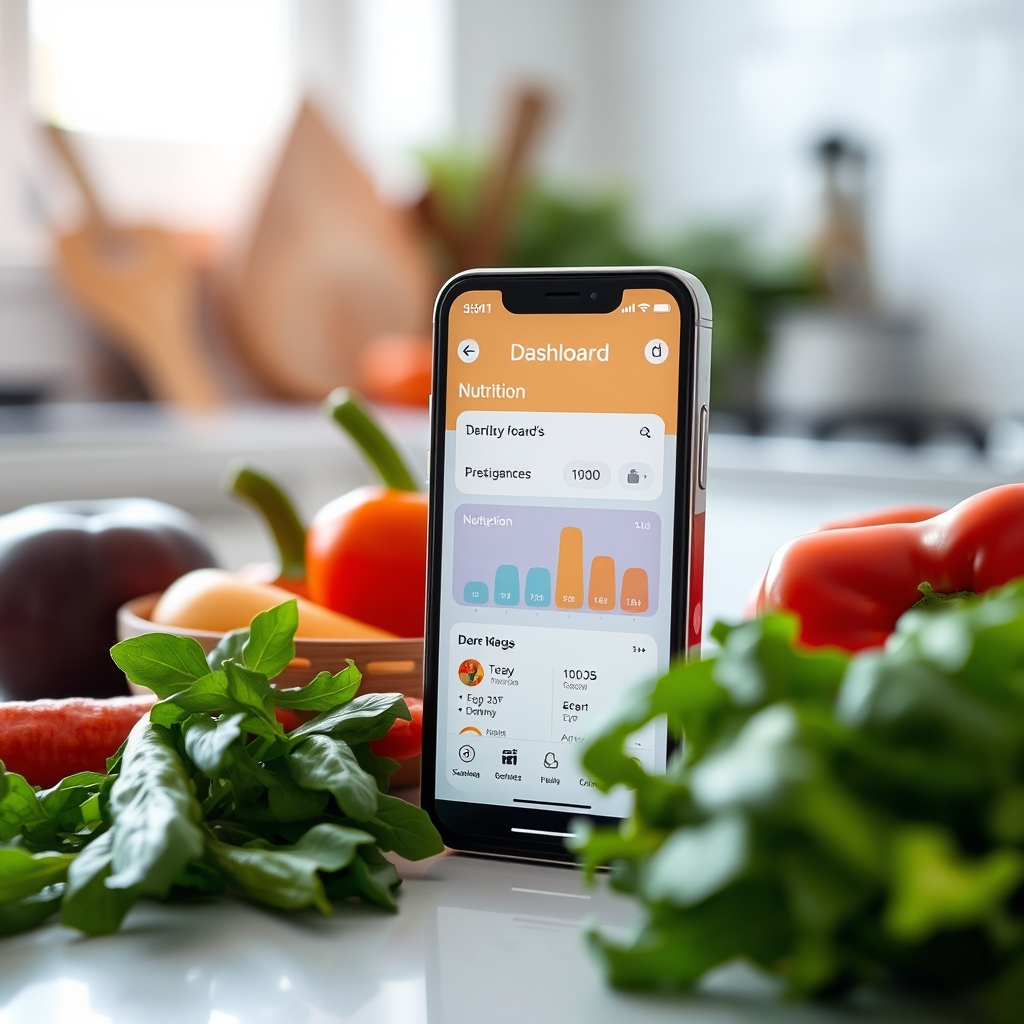
The best cool pregnancy apps help expecting moms track health, schedule appointments, and stay informed. Discover the top tools for a smoother pregnancy journey and make the most of every trimester.
By Shubhra Mishra — a mom of two who turned her own confusion during pregnancy into BumpBites, a global mission to make food choices clear, safe, and stress-free for every expecting mother. 💛
Check whether any food is safe during pregnancy with the BumpBites Food Safety Checker.
Quick take: Yes—there are many reliable pregnancy apps that let you follow fetal growth, log symptoms, plan your birth, and even involve your partner. Look for apps that offer evidence‑based content, secure data handling, and features that match your specific needs, whether you’re tracking kicks, managing a high‑risk pregnancy, or sharing milestones with a support community.
It’s 2 a.m., you’re curled up on the couch, and a sudden flutter in your belly makes you wonder: “Did I just feel a kick? Should I write it down?” You’re not alone. Expecting parents often turn to their phones for instant answers, and a good pregnancy app can be the calm voice in the middle of the night. In this guide we’ll walk through the most popular and trustworthy apps, explain which features matter most, and help you pick the perfect tool for your journey—from the first trimester to postpartum.
We’ll cover apps that track fetal development, log symptoms, monitor weight and nutrition, support birth‑planning, and even connect you with other moms‑to‑be. You’ll learn how to evaluate security, data privacy, and medical credibility, and we’ll highlight free options for tight budgets. By the end, you’ll have a clear shortlist that fits your lifestyle, your health needs, and the way you and your partner want to experience pregnancy together.
What are the best pregnancy apps for tracking fetal development?
Bottom line: Apps such as What to Expect, The Bump, and Ovia Pregnancy provide week‑by‑week fetal size charts, 3‑D visualizations, and milestone alerts that align with ACOG guidelines.
Fetal‑development tracking is more than a curiosity; it’s a way to ensure your baby’s growth follows the expected pattern. The most reliable apps pull data from reputable sources like the American College of Obstetricians and Gynecologists (ACOG) and the World Health Organization (WHO). Look for features that let you:
View a 3‑D model that updates as you progress.
Read concise explanations of what’s happening inside the uterus each week.
Set reminders for key milestones, such as the first heartbeat (around week 6) and the anatomy scan (around week 20).
Log any concerns that you can later discuss with your provider.
Many apps also include a “Growth Tracker” that lets you compare your baby’s size to common fruits (e.g., “your baby is the size of a strawberry”). While cute, these visual analogies are based on average measurements, so they’re best used as a general guide rather than a precise medical tool.
For those who want a deeper dive, Pregnancy+ offers ultrasound‑grade images and a built‑in “Development Diary” where you can upload photos of your belly and write personal notes. The diary can be shared with your partner, creating a shared timeline of the pregnancy.
Most top‑rated apps let you watch a 3‑D baby grow week by week.
Beyond the visual appeal, reputable apps tie each weekly update to the latest research on organ development. For example, when the app notes that the baby’s lungs are forming (around week 24), it may also reference ACOG’s recommendation to avoid smoking and secondhand smoke, reinforcing safe‑behavior guidance. This linkage helps you see the “why” behind lifestyle choices, turning abstract advice into concrete, timely actions.
Which free pregnancy apps are worth using for first‑time moms?
<
strong>Bottom line: Free apps like BabyCenter Pregnancy, Pregnancy Tracker by Glow, and Sprout Pregnancy provide robust tracking tools, community forums, and evidence‑based articles without a subscription.
First‑time moms often worry about cost, especially when budgeting for prenatal care and baby supplies. Fortunately, several free apps deliver a surprisingly rich set of features. When evaluating a free option, check that the app:
Offers ad‑free or low‑ad experiences to avoid distraction.
Provides medically reviewed content, with citations to ACOG, NHS, or CDC resources.
Allows you to export your data, so you can bring a summary to your obstetrician.
Has a supportive community where you can ask questions anonymously.
BabyCenter Pregnancy excels in its community aspect, featuring thousands of discussion threads sorted by week, symptom, and region. The app also includes a “Pregnancy Calendar” that sends daily tips, from nutrition to sleep hygiene. Glow stands out for its symptom‑tracking algorithm, which can suggest when a symptom might be typical versus when you should call your provider.
While free apps are safe, remember that they may offer premium upgrades for added features like personalized meal plans or advanced contraction timers. We recommend starting with the free version, and only upgrading if you feel the extra tools add real value to your routine.
Another advantage of free apps is their wide accessibility across Android and iOS devices, which means you’re less likely to be locked into a single ecosystem. Many of these apps also support multiple languages, allowing you to switch the interface to Spanish, Mandarin, or Arabic without losing any functionality—a crucial feature for multilingual families.
How can pregnancy apps help you track symptoms, weight gain, and nutrition?
Bottom line: Comprehensive apps combine symptom logs, weight‑gain charts, and nutrition trackers to give you a holistic view of your health, and many sync with wearable devices for automatic data capture.
Pregnancy symptoms can be unpredictable—nausea, fatigue, back pain, and mood swings often appear and disappear. An effective app lets you record each symptom, rate its severity, and note any triggers (like certain foods or activities). Over time, patterns emerge that you can discuss with your provider, especially if a symptom persists or worsens.
Weight‑gain tracking is another critical feature. The Institute of Medicine (IOM) provides guidelines based on pre‑pregnancy BMI. Apps such as Ovia Pregnancy display a personalized weight‑gain curve, flagging weeks where your gain is outside the recommended range. Some apps also let you log your daily step count, linking to Apple Health or Google Fit, which can help you stay active within safe limits.
Nutrition tracking is often built into the same platform. Look for apps that offer:
A database of pregnancy‑safe foods, including folate‑rich leafy greens and iron‑rich meats.
Meal‑planning templates that align with USDA MyPlate recommendations.
Alerts for nutrients you may need more of, such as DHA for fetal brain development.
For example, Sprout Pregnancy includes a “Food Diary” where you can scan barcodes of packaged foods, and the app automatically calculates your intake of key nutrients like calcium and vitamin D. It also highlights any “red‑flag” foods (e.g., unpasteurized cheeses, high‑mercury fish) based on CDC guidelines.
Beyond tracking, many apps provide educational snippets that explain why a particular nutrient matters. When you log a low‑iron meal, the app might pop up a brief note about the role of iron in preventing anemia—a common concern in the second trimester, as highlighted by the NHS. This real‑time feedback encourages you to make adjustments before a deficiency develops.
Which pregnancy apps are top‑rated on iOS and Android, and how do they compare?
Bottom line: On both platforms, What to Expect, The Bump, and Ovia Pregnancy consistently rank in the top 5, offering the most comprehensive feature sets and strongest privacy policies.
App
Platform(s)
Key Features
Free vs. Paid
Privacy Rating (1‑5)
What to Expect
iOS, Android
Weekly fetal development videos, symptom tracker, community forums
When comparing apps, pay attention to data‑security statements. The FDA and NHS both stress the importance of encrypted storage and clear consent for sharing health data with third parties. Apps with a privacy rating of 4 or 5 typically use end‑to‑end encryption and allow you to delete your account and data at any time.
iOS users might appreciate the seamless integration with Apple Health, while Android users often benefit from Google Fit syncing. Both ecosystems now support “Health Data Hub” permissions, which give you granular control over what information the app can access.
Another practical difference is the availability of in‑app customer support. Some top‑rated apps provide a live‑chat feature staffed by nurses or certified health coaches, which can be a lifesaver when you have a quick question between appointments. This level of support is especially valuable for users who are less comfortable navigating medical terminology on their own.
Nutrition dashboards let you see if you’re meeting prenatal vitamin recommendations.
Which apps are best for monitoring baby kicks, movements, and high‑risk pregnancies?
Bottom line: For kick‑tracking, Pregnancy+ Kick Counter, Glow’s Kick Counter, and Ovia’s Movement Tracker are reliable; high‑risk pregnancies benefit from apps that integrate with your provider’s portal, such as MyChart Pregnancy (when offered by your health system).
Tracking fetal movements is more than a bonding activity—it can be an early warning sign of distress. Most apps recommend starting kick counts around week 28 and logging at least three distinct movements within two hours. The best kick‑tracking tools provide:
A simple tap‑to‑count interface that records the exact time of each movement.
Automatic alerts if you haven’t reached the target count by a set deadline.
Exportable logs you can share with your obstetrician.
For high‑risk pregnancies (e.g., gestational diabetes, pre‑eclampsia, or a history of preterm birth), choose an app that syncs with your clinic’s electronic health record (EHR). Many major health systems in the U.S. and U.K. now offer a “patient portal” app—examples include MyChart (Epic) and Patient Access (NHS). These portals let you enter blood‑pressure readings, glucose levels, and symptom notes directly into your medical record, reducing the risk of missed information.
If your provider doesn’t have a dedicated portal, look for apps that support manual entry of blood pressure, glucose, and medication schedules, and that generate a PDF summary for your next appointment. Consistent self‑monitoring can improve outcomes, as shown in ACOG’s guidance on self‑monitoring for hypertension in pregnancy.
Some apps also incorporate educational alerts based on your entered data. For instance, when a user records a blood‑pressure reading of 150/95 mmHg, the app may display a brief reminder of ACOG’s recommendation to contact the care team within 24 hours, reinforcing prompt action without causing panic.
What pregnancy apps support birth planning, partner involvement, and exercise tracking?
Bottom line: Apps such as BirthPlan, Ovia Pregnancy partner portal, and Fit4Birth blend birth‑preparation tools, shared calendars, and safe‑exercise modules that align with AAP recommendations for prenatal activity.
Birth planning can feel overwhelming, especially when you’re juggling nursery prep, work, and family. The most helpful apps let you:
Create a customizable birth‑plan template (position preferences, pain‑management options, who will be present).
Share the plan instantly with your provider or doula via secure email.
Access a library of evidence‑based articles on labor stages, induction, and cesarean recovery.
Partner involvement is boosted when the app includes a “spouse portal” where your partner can log their own questions, view the baby’s growth, and receive reminders for prenatal appointments. Ovia Pregnancy offers a dedicated partner view that shows the same weekly updates, plus a checklist of ways to support you (e.g., preparing a snack, setting up a relaxing bath).
Exercise tracking is another area where apps shine. The American College of Obstetricians and Gynecologists (ACOG) recommends at least 150 minutes of moderate aerobic activity per week for most pregnant people. Look for apps that:
Provide trimester‑specific workout suggestions (e.g., prenatal yoga, swimming, walking).
Allow you to log intensity, duration, and perceived exertion.
Integrate with wearable devices to automatically capture heart‑rate zones.
One standout is Fit4Birth, which offers video‑guided workouts vetted by certified prenatal fitness instructors, and a “safe‑exercise” calculator that adjusts recommendations based on your BMI and any medical restrictions.
Beyond workouts, many apps also track pelvic floor exercises—a key component of postpartum recovery. When you complete a set of Kegel exercises, the app can log the repetitions and suggest a gradual progression, aligning with AAP’s guidance on pelvic‑floor health during pregnancy.
Are there pregnancy apps designed for twins, multiples, and connecting with other expecting mothers?
Bottom line: For multiple pregnancies, Twin Pregnancy Tracker, Pregnancy+ (Multiple Births edition), and the community sections of BabyCenter provide specialized growth charts, symptom logs, and peer‑support forums.
Twins and higher‑order multiples present unique tracking needs—different growth curves, separate kick counts, and more frequent medical visits. Apps that cater specifically to multiples include:
Separate fetal growth charts based on twin‑specific averages (e.g., each twin’s size compared to a single‑birth reference).
Dual kick counters that let you log movements for each baby individually.
Appointment reminders that account for the typical increase in prenatal visits for multiples.
Twin Pregnancy Tracker offers a “Twin Diary” where you can log each baby’s milestones, share photos, and even compare sleep patterns as they develop. The community forums on BabyCenter have dedicated threads for twins, allowing you to ask questions like “How do you manage nighttime feedings for two newborns?” and get answers from parents who have walked the same path.
Connecting with other expecting mothers can reduce anxiety and provide practical tips. Look for apps that feature moderated discussion boards, scheduled virtual meet‑ups, or local group finders. Some apps partner with organizations such as the March of Dimes to provide vetted resources and safe‑space discussions.
For families expecting triplets or more, a few niche apps (e.g., Multiple Births Tracker) let you toggle between three or four individual profiles, ensuring each baby’s data stays distinct while still offering a unified dashboard for the mother.
How do you choose the right pregnancy app for your unique needs?
Bottom line: Start by listing the features you need (e.g., kick‑count, partner portal, high‑risk monitoring), then compare apps on evidence‑based content, data security, platform compatibility, and cost.
Choosing an app is a personal decision, but a systematic approach helps you avoid overwhelm. Follow these steps:
Identify your priorities. Are you most concerned with fetal development visuals, symptom tracking, or birth‑plan creation? Write down the top three must‑have features.
Check medical credibility. Look for apps that cite ACOG, NHS, CDC, or WHO guidelines. Most reputable apps will list their medical advisory board in the “About” section.
Assess privacy and security. Ensure the app uses encrypted storage, offers a clear privacy policy, and lets you delete your data. Avoid apps that sell health data to third parties.
Test the user experience. Download a free version and explore the interface for a week. Is navigation intuitive? Do notifications feel helpful rather than intrusive?
Consider cost and upgrades. Some apps are free but lock premium features behind a subscription. Decide whether those extras (e.g., personalized meal plans) are worth the price.
Read reviews from similar users. Look for feedback from people with similar pregnancy circumstances—high‑risk, twins, or first‑time moms.
Finally, talk to your provider. Many obstetricians now recommend specific apps that integrate with their clinic’s system. A quick conversation can save you time and ensure the data you record aligns with your care plan.
It’s also worth checking whether the app offers accessibility features such as larger fonts, voice‑over support, or color‑contrast modes. This can be especially helpful if you develop vision changes later in pregnancy or simply prefer audio narration while you’re cooking dinner.
From our medical team: Pregnancy apps are excellent adjuncts to prenatal care, but they don’t replace professional evaluation. Use them to stay organized, spot trends, and empower yourself, but always bring your app logs to appointments and call your provider if you notice anything unusual.
Integrating pregnancy apps with your prenatal care provider
One of the most powerful ways to get value from a pregnancy app is to share its data directly with your obstetrician or midwife. Many health systems now support “patient‑portal” integration, which lets you push weight, blood‑pressure, and symptom entries straight into the electronic health record (EHR). When this connection is active, you’ll often see a “share with provider” button inside the app.
If your clinic uses Epic, Cerner, or the NHS’s Patient Access platform, ask whether they have a compatible mobile app. When they do, you’ll typically need to log in with the same credentials you use for your patient portal, then grant permission for the pregnancy app to read and write data. This two‑way flow reduces duplicate data entry and ensures your care team has the most up‑to‑date information, which can be especially critical for managing gestational diabetes or hypertension.
Using pregnancy apps for postpartum tracking and breastfeeding support
Pregnancy doesn’t end at birth, and many apps extend their functionality into the postpartum period. Look for features that let you:
Log newborn weight gain and feeding patterns, whether you’re bottle‑feeding or nursing.
Track your own recovery milestones, such as lochia duration, perineal healing, and return of menstrual cycles.
Access evidence‑based breastfeeding guides that reference WHO’s recommendations on exclusive breastfeeding for six months.
Apps like Glow Postpartum and Ovia Parenting provide a seamless transition from pregnancy to baby‑care, offering daily tips on sleep, mood swings, and infant milestones. Some also include mental‑health check‑ins, which are important because postpartum depression affects up to 1 in 7 new parents, according to the ACOG.
When you start using the postpartum features, keep the same privacy principles in mind—your newborn’s health data is equally sensitive. Choose apps that let you set separate permissions for infant records, and always verify that any shared data complies with HIPAA (U.S.) or GDPR (U.K.) regulations.
Myth vs. fact
Myth: All pregnancy apps are free and have no hidden costs.
Fact: While many apps offer a robust free tier, premium features—such as personalized nutrition counseling or advanced contraction timers—often require a subscription. Always review the pricing before committing.
Myth: An app can diagnose pregnancy complications.
Fact: No app can replace a medical examination. Apps are tools for tracking; they should never be used to self‑diagnose. If a symptom feels concerning, contact your provider promptly.
Myth: Data entered in a pregnancy app is automatically shared with my healthcare provider.
Fact: Only apps that integrate with your provider’s patient portal transfer data securely. Otherwise, you’ll need to export or manually share the information.
Key takeaways
Choose apps that reference ACOG, NHS, or CDC guidelines for trustworthy content.
Prioritize privacy—look for end‑to‑end encryption and clear data‑deletion options.
Use kick‑counter and symptom‑log features to spot patterns and discuss them with your provider.
Free apps like BabyCenter and Glow provide solid basics; premium upgrades add personalized nutrition or advanced birth‑plan tools.
For high‑risk or multiple pregnancies, select apps that sync with your clinic’s EHR or offer specialized twin growth charts.
Involve your partner by sharing app dashboards or using dedicated partner portals.
Export your data before each prenatal visit to keep your care team in the loop.
Consider postpartum extensions for tracking newborn feeding, maternal recovery, and mental‑health screening.
Frequently asked questions
What are the best pregnancy apps for tracking fetal development?
Top choices are What to Expect, The Bump, and Ovia Pregnancy, which all provide weekly 3‑D visualizations, ACOG‑aligned size charts, and milestone alerts.
Are there any free pregnancy apps that are worth using?
Yes—apps like BabyCenter Pregnancy, Glow Pregnancy Tracker, and Sprout Pregnancy offer comprehensive tracking, community support, and medically reviewed articles without a subscription.
How do I choose the best pregnancy app for my needs?
Start by listing the features you need (e.g., kick counting, partner portal, high‑risk monitoring), then compare apps on medical credibility, privacy policies, platform compatibility, and cost.
Can pregnancy apps really help me track my baby's kicks and movements?
Yes—most reputable apps include a simple tap‑to‑count interface, automatic alerts if the daily target isn’t met, and exportable logs you can share with your obstetrician.
What are the top rated pregnancy apps for first‑time moms?
First‑time moms often favor What to Expect, The Bump, and BabyCenter because they combine easy‑to‑understand weekly guides, community forums, and symptom trackers.
Are pregnancy apps safe to use and do they protect my personal data?
Most reputable apps follow GDPR or HIPAA‑like standards, using encrypted storage and offering clear privacy policies; still, always read the app’s data‑handling statement before entering sensitive health information.
Can I use a pregnancy app to monitor postpartum recovery and breastfeeding?
Yes—apps such as Glow Postpartum and Ovia Parenting extend tracking to newborn weight, feeding schedules, and maternal recovery milestones, aligning with WHO breastfeeding guidelines.
How do I share my pregnancy app data with my doctor?
Many apps integrate with patient‑portal systems like MyChart or NHS Patient Access; enable the “share with provider” feature, or export a PDF summary to bring to your appointment.
When to call your doctor
If you notice any of the following, contact your provider immediately: sudden or severe abdominal pain, bleeding, a fever over 100.4°F (38°C), a noticeable drop in baby kick counts (fewer than three movements in two hours after week 28), persistent severe nausea or vomiting, blood‑pressure readings ≥140/90 mmHg, or any new, concerning symptom that feels out of the ordinary. This article is for informational purposes only and does not replace personalized medical advice.
References
American College of Obstetricians and Gynecologists (ACOG). “Guidelines for Fetal Growth Monitoring.” 2023.
World Health Organization (WHO). “Maternal Health and Nutrition.” 2022.
Centers for Disease Control and Prevention (CDC). “Pregnancy Nutrition Guidelines.” 2023.
National Health Service (NHS). “Pregnancy and Birth Planning.” 2023.
Food and Drug Administration (FDA). “Mobile Medical Applications Guidance.” 2022.
March of Dimes. “High‑Risk Pregnancy Care.” 2023.
American Academy of Pediatrics (AAP). “Physical Activity Guidelines for Pregnant People.” 2022.
Institute of Medicine (IOM). “Weight Gain During Pregnancy Recommendations.” 2020.
Glide Health. “Data Privacy in Pregnancy Apps.” 2023.
What to Expect. App feature list and privacy policy. Accessed July 2026.
The Bump. App overview and user guide. Accessed July 2026.
Ovia Health. Clinical advisory board statement. Accessed July 2026.
Glow. Symptom tracking methodology. Accessed July 2026.
Pregnancy+. Product documentation. Accessed July 2026.
BabyCenter. Community moderation policies. Accessed July 2026.
Epic Systems. “MyChart Patient Portal Integration for Pregnancy Apps.” 2025.
National Health Service (NHS). “Patient Access Mobile App Guide.” 2024.
American College of Obstetricians and Gynecologists (ACOG). “Self‑Monitoring of Blood Pressure in Pregnancy.” 2022.
World Health Organization (WHO). “Exclusive Breastfeeding Recommendations.” 2021.
American College of Obstetricians and Gynecologists (ACOG). “Postpartum Depression Screening.” 2023.
Not sure about the label on Cool Pregnancy Apps Best Tools For Expecting Moms products?
Snap the ingredients list and SafeFilter checks every ingredient for your stage — only 3 free scans this month, then you're locked until reset. Unlimited from $7/mo or lock $50/yr through Aug 31 (5 days left).
When Shubhra Mishra was expecting her first child in 2016, she was overwhelmed by conflicting food advice — one site said yes, another said never. By the time her second baby arrived in 2019, she realized millions of mothers face the same confusion.
That sparked a five-year journey through clinical nutrition papers, cultural diets, and expert conversations — all leading to BumpBites: a calm, compassionate space where science meets everyday motherhood.
Her long-term vision is to build a global community ensuring safe, supported, and free deliveriesfor every mother — because no woman should face pregnancy alone or uninformed. 🌿
🌍 Stand with mothers, shape safer guidance
Join a small circle of experts who review BumpBites articles so expecting parents everywhere can decide with confidence.