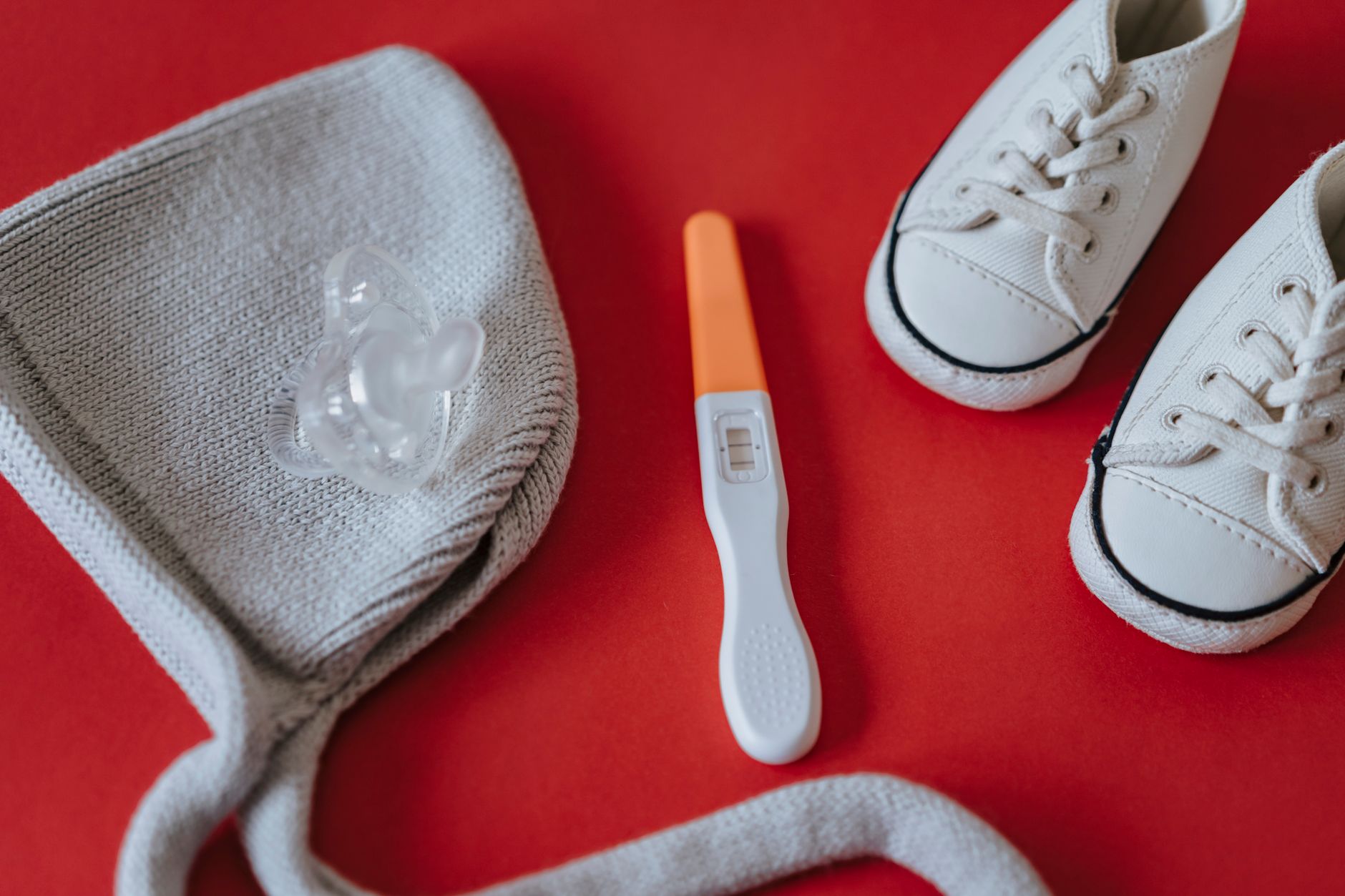
Ready to share your exciting news? Learn the best ways to share your positive pregnancy test pictures with loved ones. Find creative ideas and tips for a memorable announcement, making your big reveal special and joyful.
By Shubhra Mishra — a mom of two who turned her own confusion during pregnancy into BumpBites, a global mission to make food choices clear, safe, and stress-free for every expecting mother. 💛
Check whether any food is safe during pregnancy with the BumpBites Food Safety Checker.
Quick take: Yes—you can share positive pregnancy test pictures safely and joyfully. Choose a platform that fits your comfort level, keep the image private until you’re ready, craft a warm caption, and protect personal data. Below you’ll find step‑by‑step guidance on timing, privacy, photo styling, and how to involve loved ones—including the partner—so your announcement feels just right.
It’s 2 a.m., your phone buzzes with a bright pink line, and you’ve just seen the two‑line miracle that says “yes.” Your heart races, and a flood of thoughts follows: “Who do I tell first? Should I post this picture? What if someone sees it before I’m ready?” You’re not alone. Many expecting parents grapple with the perfect way to turn that tiny test strip into a shared celebration.
In this guide we’ll walk you through every decision point—from choosing the right platform and timing your post, to snapping a clear photo, writing a heartfelt caption, and safeguarding your privacy. We’ll also share creative ideas, ways to involve your partner, and strategies for handling any unexpected reactions. By the end, you’ll have a checklist you can follow the moment you hold that positive test in your hand.
We’ve gathered advice from leading health bodies (ACOG, NHS, CDC), social‑media best practices, and real stories from families who’ve navigated this moment. Let’s turn that excitement into a beautiful, stress‑free announcement.
How can I share positive pregnancy test pictures with family?
First‑time parents often want to tell their closest relatives before anyone else sees the news. A private, personal approach helps keep the surprise intact and gives family members space to react naturally.
Step 1: Choose a personal delivery method. Most families feel comfortable with a phone call or a video chat. If you’re tech‑savvy, a group message on a secure app (iMessage, WhatsApp, Signal) works well. These apps encrypt messages, so the photo stays between you and the recipients.
Step 2: Set the stage. Start with a warm greeting (“Hey, we have something to share…”) and give a moment for the family member to settle in. Then, show the test photo and say something like, “We’re thrilled to announce we’re expecting!” This brief preface prepares them for the happy news.
Many families create a short video call “reveal” where each person sees the test at the same time. One reader told us they filmed a quick Zoom reaction, then shared the clip with grandparents who lived abroad. The shared laughter made the moment feel inclusive, even across time zones.
When you’re ready to broaden the circle, you can forward the same photo to extended relatives, but keep the initial announcement intimate. This layered approach lets you control the flow of information and reduces the chance of accidental leaks.
It’s also helpful to let family members know how you’d like them to respond—whether you’re hoping for a low‑key congratulation or an enthusiastic celebration. Setting that expectation ahead of time can prevent awkward silences and keep the focus on your joy.
What are the best ways to announce a pregnancy on social media with a test photo?
Social media offers a wide audience, but each platform has its own privacy settings and audience expectations. Here’s a quick comparison to help you decide where to post.
Platform
Audience Reach
Privacy Controls
Best For
Instagram
High (followers & hashtags)
Close Friends list, private account
Visual storytelling, creative edits
Facebook
Medium (friends, family groups)
Custom audience, post visibility options
Longer captions, sharing with older relatives
Twitter
High (public, searchable)
Limited (public by default)
Quick announcements, viral potential
Private family group (e.g., WhatsApp)
Low‑Medium (invite‑only)
End‑to‑end encryption, no public index
Most intimate, immediate reactions
For most couples, Instagram’s Close Friends list strikes a sweet spot: you can share a curated audience, add a custom caption, and use Instagram’s editing tools without broadcasting to the entire world. If you prefer a more traditional approach, Facebook’s “Friends Only” setting allows you to tag grandparents and siblings directly.
Timing matters. Many parents wait until the pregnancy is confirmed (usually after a positive home test and a first‑trimester scan) before posting. This reduces the risk of early miscarriage and gives you a solid timeline to share.
When you’re ready, upload the photo, add a caption (see the next section), and consider using a relevant hashtag—#BabyOnBoard, #PregnancyAnnouncement, or a personalized one like #SmithFamily2027. The hashtag helps friends find your post later while keeping it organized in your feed.
Remember to double‑check your account’s privacy settings before hitting “share.” A quick audit (profile public vs. private, story visibility, tag approvals) can prevent unwanted eyes from seeing your news before you’re ready.
Simple flat‑lay styling makes a test photo pop on Instagram.
What should I write in a positive pregnancy test caption?
Captions are where you add personality, context, and emotion. Keep the first sentence brief—the core announcement—followed by a more detailed note if you wish.
Here are three ready‑made templates you can tailor:
Classic joy: “We’re thrilled to share that we’re expecting! 💕 #BabyOnBoard”
Playful pun: “Looks like we’re adding a new ‘little’ member to the team! Positive test, positive vibes.”
Storytelling: “Two weeks ago we were scrolling through baby name lists, and now we’re holding the proof. Our adventure begins!”
Feel free to mention a due date (if you have one), a favorite quote, or a call‑to‑action like “Leave your best baby name ideas below!” This invites engagement while keeping the focus on your excitement.
If you’re sharing with a specific audience (e.g., grandparents), you might write, “We can’t wait to meet you, Grandma and Grandpa—our newest grandchild is on the way!” Tailoring the caption to the platform’s tone (more formal on Facebook, more casual on Instagram) helps it feel authentic.
When you write your caption, consider adding a short note about how you’re feeling—joyful, nervous, or a mix of both. That tiny human touch often resonates with friends who have been through the same roller‑coaster.
How do I protect my privacy when posting pregnancy test pictures online?
Even a single image can contain metadata (location, device info) that reveals more than you intend. Follow these steps to keep your announcement private until you choose:
Strip EXIF data. Before uploading, use a free tool (e.g., ExifTool) or a smartphone app to remove GPS coordinates and device details.
Adjust privacy settings. Set your post to “Friends Only” or use Instagram’s Close Friends list. On Facebook, customize the audience selector for each post.
Consider legal aspects. In the U.S., sharing medical test results is generally allowed, but you should avoid posting any personal health information that could be used for identity theft. In the UK, the Data Protection Act (GDPR) obliges you to keep personal data secure; deleting the post later does not erase copies already shared.
Secure your account. Enable two‑factor authentication (2FA) on all platforms, and choose a strong, unique password.
For extra peace of mind, keep the original high‑resolution photo on a password‑protected cloud folder, and only upload a compressed version to social media. This reduces the chance that someone downloads a high‑quality image for misuse.
Finally, be aware of platform‑specific defaults. Some apps automatically attach location data to images unless you turn the feature off in settings. Double‑checking these defaults before you post is a quick habit that pays off.
What are creative ideas for positive pregnancy test photo announcements?
Creativity turns a simple test strip into a memorable keepsake. Below are themed ideas you can adapt to your style, budget, and the platform you choose.
Seasonal flat‑lays: Pair the test with autumn leaves, pumpkin spice mugs, or spring blossoms. The natural colors add warmth without extra props.
Letter‑board reveal: Write “Baby on Board” on a chalkboard, place the test on top, and snap from above. This works especially well for Instagram stories.
Prop storytelling: Use tiny baby shoes, a sonogram image, or a favorite stuffed animal to frame the test. One couple placed their dog’s paw beside the strip and captioned it “Our pack is growing!”
Video countdown: Create a short 10‑second clip that starts with you holding the test, then zooms out to reveal a banner or balloon spelling out “We’re expecting.”
Partner‑focused: Have the partner hold the test while you hold a sign that says “He’s doing the heavy lifting.” This adds humor and inclusivity.
When you edit the photo, keep the colors natural. Over‑saturation can make the test look unrealistic, which sometimes triggers skeptical comments. Simple tools like Instagram’s built‑in filters (e.g., “Ludic”) or free apps such as Snapseed let you brighten shadows and sharpen the line without looking artificial.
Don’t forget to consider what you’ll wear. Soft, neutral tones (cream, pastel blue, light gray) keep the focus on the test, while a pop of color (a red sweater) can draw the eye and add personality. If you’re aiming for a gender‑neutral vibe, avoid overly pink or blue items.
Including your partner adds a shared moment to the announcement.
How should I handle negative reactions to pregnancy test pictures?
Most reactions are supportive, but a few may be critical or insensitive. Prepare a calm response plan so you stay centered.
Set comment moderation. On Instagram, you can filter out keywords (“unwanted,” “negative”) before they appear. On Facebook, you can hide or delete comments that feel hurtful.
Use private messaging. If a close family member reacts poorly, reach out privately. A gentle “I noticed your comment—let’s talk” can open a constructive dialogue.
Limit exposure. If the post garners a lot of unwanted attention, consider changing the audience to “Friends Only” and re‑posting later with a more controlled group.
Remember your boundaries. You’re not obligated to explain or justify your excitement. A simple “We’re happy and would love your support” sets a clear tone.
In extreme cases—harassment or threats—document the comments and report them to the platform. Social‑media companies have policies against hate speech and bullying. If the negativity affects your mental health, consider taking a short break from the feed and leaning on your partner or a trusted friend.
It can also help to have a pre‑written response ready for generic negative comments, such as “We appreciate your concern, but we’re excited and would love positivity.” This reduces the emotional load of crafting a reply in the moment.
What tips help me take clear positive pregnancy test photos?
Clarity is key: a crisp, well‑lit image makes the positive line unmistakable and reduces speculation. Follow these technical guidelines:
Use natural light. Position the test near a window with diffused daylight. Avoid direct sun that creates harsh shadows.
Choose a simple background. A plain white or pastel surface keeps the focus on the test. A wooden board or a clean countertop works well.
Stabilize your phone. Use a small tripod or rest the phone on a stack of books. This eliminates blur.
Zoom in, but keep the test in frame. A close‑up (1–2 inches from the test) shows the line clearly without cutting off the edges.
Edit minimally. Increase brightness slightly, adjust contrast to make the line pop, and crop out any unrelated objects.
What to wear? Soft, solid‑colored clothing (cream, light gray) prevents patterns from competing with the test. If you’re using a prop (e.g., a tiny onesie), make sure its color complements the test’s pink hue rather than clashing.
Best lighting tip: place a white reflector (a sheet of paper or a light‑colored poster board) opposite the window to bounce light back onto the test. This reduces shadows under the strip and yields an even illumination.
When you’re ready to share, take a few test shots—one straight‑on, one at a slight angle. The angled shot can add visual interest for platforms that favor dynamic composition, like TikTok or Instagram Reels.
How can I include my partner in the pregnancy test picture announcement?
Involving your partner adds a sense of teamwork and can double the emotional impact. Here are a few ideas that keep the focus on the test while highlighting both of you:
Hand‑in‑hand reveal: Both of you hold the test together, fingers intertwined. The photo captures partnership and the shared milestone.
“His” and “her” captions: Pair a photo of you holding the test with a second shot of your partner holding a tiny pair of baby shoes, captioned “She’s carrying the baby, he’s buying the stroller.”
Co‑editing: Use an app to split the screen—one side shows the test, the other shows your partner’s reaction (laughing, surprised). This works great for Instagram carousel posts.
Joint video message: Record a short clip where you both announce the news, ending with a close‑up of the test. This personal touch feels authentic and is easy to share across platforms.
When you involve your partner, discuss privacy preferences together. Some couples prefer a private announcement first, while others love the public excitement. Aligning on what you’ll share (test photo only, or also a selfie) helps avoid miscommunication later.
Another low‑effort option is to let your partner take the photo. A photo taken from his perspective can add an unexpected angle and make the image feel more candid, which many followers find relatable.
How to share a pregnancy test picture with coworkers or at work?
Workplaces vary in culture, so it’s wise to gauge the environment before posting. If you have a supportive team, a discreet announcement can boost morale and invite well‑wishes.
Choose the right channel. Use your company’s internal communication tool (Slack, Teams, or an internal newsletter) rather than public social media. Many platforms allow you to post to a specific channel (e.g., #life‑updates) where only employees can see it.
Keep it simple. A short message like “Exciting news—my partner and I are expecting! 🎉” paired with a modest‑size test photo is enough. Avoid long captions that could be seen as oversharing.
According to the American College of Obstetricians and Gynecologists (ACOG), sharing personal milestones at work is generally safe, but you should respect any corporate policies on personal content. If you’re unsure, check your employee handbook or ask HR confidentially.
For larger organizations, consider a “celebration” moment during a casual team meeting or a virtual coffee break. This allows you to share the news verbally, with the photo simply displayed on a screen, giving colleagues a chance to react in real time.
Sharing the news in a professional setting can be as simple as a tasteful flat‑lay on your desk.
Legal and ethical considerations when posting medical images online
While posting a pregnancy test photo is generally low risk, it still falls under the umbrella of personal health information. In the United States, the Health Insurance Portability and Accountability Act (HIPAA) primarily governs covered entities, but many providers extend its spirit of confidentiality to patients’ own disclosures.
Consent matters. If you’re sharing a photo that includes another person’s reaction (for example, your partner’s face), make sure they consent to being featured.
Data protection. The UK’s GDPR requires that personal data—including images that could identify an individual—be processed lawfully. Removing EXIF data and limiting audience access helps you stay compliant.
Copyright. The test strip itself is not copyrighted, but any artistic elements (filters, graphic overlays) you add may be. Avoid using copyrighted music or logos in accompanying videos unless you have permission.
Ethically, consider the long‑term digital footprint. Even if a post is deleted, copies may persist on other users’ devices or on the internet’s archives. As a precaution, think about how you’d feel looking back at the image five years from now.
When in doubt, consult a legal professional or your healthcare provider’s privacy office. They can guide you on the safest way to share while respecting both personal and regulatory boundaries.
From our medical team: Sharing a positive pregnancy test image is safe for you and your baby, but always keep your medical information (e.g., prenatal appointments, health conditions) private. If you experience any concerning symptoms—such as severe abdominal pain, heavy bleeding, or fever—contact your obstetric provider right away. Your announcement can be joyful; your health always comes first.
Myth vs. fact
Myth: Posting a pregnancy test photo online can cause a miscarriage.
Fact: A photo is a visual representation; it does not affect the physiological processes of pregnancy. Stress or anxiety can influence well‑being, but the act of posting alone does not cause miscarriage.
Myth: You must share the test picture publicly to get support.
Fact: Support can be offered in private messages, phone calls, or small gatherings. Your comfort and privacy are more important than any perceived “visibility” requirement.
Myth: Editing the test photo (adding filters) makes it look fake.
Fact: Light editing for brightness and color balance is common and acceptable; avoid extreme alterations that misrepresent the result.
Key takeaways
Choose a platform that matches your privacy comfort—Instagram Close Friends, private Facebook, or a secure messaging app.
Craft a concise, heartfelt caption; start with the announcement, then add a personal touch.
Take the photo in natural light, on a plain background, and use a steady hand or tripod for clarity.
Remove EXIF data and enable two‑factor authentication to protect against unwanted sharing.
Include your partner in a way that feels authentic—hand‑in‑hand, joint video, or split‑screen collage.
Prepare for mixed reactions by setting comment filters and having a private response plan.
When sharing at work, use internal channels and keep the message brief.
Consider legal and ethical aspects, especially consent and data‑protection rules.
Frequently asked questions
Can I share my positive pregnancy test picture publicly?
Yes, you can, but it’s safest to set your account to private or use a “Close Friends” list first. Public sharing increases the chance of unintended viewers and may expose personal data; adjusting privacy settings mitigates those risks.
What should I write in a pregnancy announcement caption?
Start with a clear statement—“We’re expecting!”—then add a personal note, such as a favorite quote, a due date, or a call for name suggestions. Keep the tone consistent with the platform (more casual on Instagram, slightly formal on Facebook).
How do I protect my privacy when posting a pregnancy test photo?
Remove EXIF metadata, use a private audience selector, enable two‑factor authentication, and consider adding a subtle watermark. Store the original image in a password‑protected folder and upload a compressed version.
What are creative ways to announce a pregnancy with a test picture?
Try seasonal flat‑lays, letter‑board frames, prop storytelling (baby shoes, plush toys), short video reveals, or split‑screen collages featuring both partners. Simple editing tools can enhance the image without making it look staged.
Should I include my partner in the pregnancy test photo?
Including your partner adds a shared narrative and often feels more celebratory. Options include holding the test together, a joint video message, or a side‑by‑side photo with complementary props.
When is the best time to share a positive pregnancy test picture?
Most couples wait until after a confirming ultrasound (usually 6–8 weeks) and when they feel emotionally ready. This timing reduces the risk of early‑pregnancy loss and gives you a solid timeline to share.
Is it okay to share a pregnancy test picture on TikTok?
Yes, TikTok allows you to post short videos, but set your account to private or share the video only with approved followers. Because TikTok’s algorithm can amplify content quickly, double‑check your privacy settings before uploading.
Can I edit the test photo without misleading viewers?
Light adjustments—brightness, contrast, or a subtle filter—are fine as long as the test’s positive line remains clearly visible. Avoid heavy filters or cropping that could obscure the result, which might lead to confusion or speculation.
When to call your doctor
If you experience severe abdominal pain, heavy bleeding, fever, or any sudden change in symptoms after sharing your news, contact your obstetric provider immediately. This article provides general information and is not a substitute for personalized medical advice.
References
American College of Obstetricians and Gynecologists (ACOG). “Pregnancy Announcement Guidance.” 2023.
National Health Service (NHS). “Privacy and Data Protection for Social Media.” 2022.
Centers for Disease Control and Prevention (CDC). “Health Information Privacy.” 2021.
World Health Organization (WHO). “Guidelines on Digital Health.” 2022.
Food and Drug Administration (FDA). “Home Pregnancy Test Accuracy.” 2023.
British Medical Association (BMA). “Social Media Use for Patients.” 2022.
National Institute for Health and Care Excellence (NICE). “Managing Early Pregnancy.” 2023.
International Association of Privacy Professionals (IAPP). “Data Security for Personal Images.” 2023.
Health and Care Professions Council (HCPC). “Guidance on Patient‑Generated Content.” 2021.
UK Information Commissioner’s Office (ICO). “Guidance on GDPR and Personal Images.” 2022.
Not sure about the label on Positive Pregnancy Test Pictures Sharing Your News products?
Snap the ingredients list and SafeFilter checks every ingredient for your stage — only 3 free scans this month, then you're locked until reset. Unlimited from $7/mo or $50/yr.
When Shubhra Mishra was expecting her first child in 2016, she was overwhelmed by conflicting food advice — one site said yes, another said never. By the time her second baby arrived in 2019, she realized millions of mothers face the same confusion.
That sparked a five-year journey through clinical nutrition papers, cultural diets, and expert conversations — all leading to BumpBites: a calm, compassionate space where science meets everyday motherhood.
Her long-term vision is to build a global community ensuring safe, supported, and free deliveriesfor every mother — because no woman should face pregnancy alone or uninformed. 🌿
🌍 Stand with mothers, shape safer guidance
Join a small circle of experts who review BumpBites articles so expecting parents everywhere can decide with confidence.