

Quick take: If you're a mom drowning in sticky notes and missed appointments, the best planner depends on your style: digital planners sync effortlessly with your calendar and reminders (perfect for tracking pregnancy appointments or breastfeeding schedules), while paper planners offer tactile satisfaction and reduce screen time. For new moms, paper often wins for newborn routines, but digital shines for toddler schedules and household management. Start with a free trial or sample page to test what feels right.Digital Planner vs Paper for Moms: A Modern Mom's Honest Guide
It’s 2 AM, and you’re wide awake because your brain is still running through the grocery list, the pediatrician’s appointment tomorrow, and the fact that you promised to bake cookies for the school bake sale. Sound familiar? Welcome to motherhood—where your to-do list is as endless as your love for your kids. Now, imagine if you could organize all of this chaos without losing your mind. That’s where the age-old debate comes in: digital planner vs paper for moms. But here’s the thing—neither one is a one-size-fits-all solution. It’s about finding the right tool for the moment you’re in.
Let’s be honest: as a mom, you’ve probably tried both. Maybe you started with a sleek digital planner, only to realize it’s harder to carry around than your toddler’s backpack. Or perhaps you fell in love with the tactile feel of a paper planner, only to lose it in the laundry. The truth is, the best planner for you isn’t about what’s trending or what your friend swears by—it’s about what actually works for your life stage, your personality, and your family’s needs.
Whether you’re tracking pregnancy appointments, managing newborn routines, or juggling toddler schedules, this guide will help you decide: digital planner vs paper planner for moms. We’ll break down the pros, cons, and must-have features so you can make an informed choice—without the overwhelm.
--- ## **The 3 AM Realization: Why Your Current Planner Isn’t Cutting It**
Picture this: You’re in your third trimester, and your OB/GYN just texted you a reminder about your upcoming ultrasound. You pull out your digital planner, but the notification is buried under last week’s grocery list. Meanwhile, your paper planner is tucked away in your purse, and you can’t remember if you even wrote it down. Sound familiar? Many moms—especially those navigating pregnancy, postpartum, or the toddler years—find themselves stuck in this cycle. The question isn’t whether you need a planner; it’s whether you’re using the right one.
**The 3 AM Realization: Why Your Current Planner Isn’t Cutting It**
Picture this: You’re in your third trimester, and your OB/GYN just texted you a reminder about your upcoming ultrasound. You pull out your digital planner, but the notification is buried under last week’s grocery list. Meanwhile, your paper planner is tucked away in your purse, and you can’t remember if you even wrote it down. Sound familiar? Many moms—especially those navigating pregnancy, postpartum, or the toddler years—find themselves stuck in this cycle. The question isn’t whether you need a planner; it’s whether you’re using the right one.
One reader, Sarah, a first-time mom, shared, “I tried a digital planner during my pregnancy, but I kept forgetting to check it. Then I switched to paper, and I loved the feeling of crossing things off, but I lost it in the car seat pocket. Now I’m back to digital, but I wish it could do more than just remind me of appointments.” Sarah’s experience is a microcosm of the bigger struggle: digital planners vs paper planners for moms isn’t about one being inherently better—it’s about matching the tool to the task.
In this guide, we’ll explore how each type of planner can (or can’t) support you through pregnancy, postpartum, and beyond. We’ll dive into the specifics of digital planner vs paper planner for new moms, the benefits of digital planners for pregnant women, and even how to choose a digital planner for pregnancy tracking. By the end, you’ll have a clear roadmap to pick the planner that actually fits into your life—without adding to the chaos.
--- ## **Digital Planner vs Paper Planner for New Moms: Organization and Scheduling Features**
When you’re a new mom, your world revolves around appointments, feedings, diaper changes, and nap schedules. So, how do digital planners vs paper planners for moms stack up in terms of organization and scheduling?
### **The Digital Edge: Syncing with Your Life**
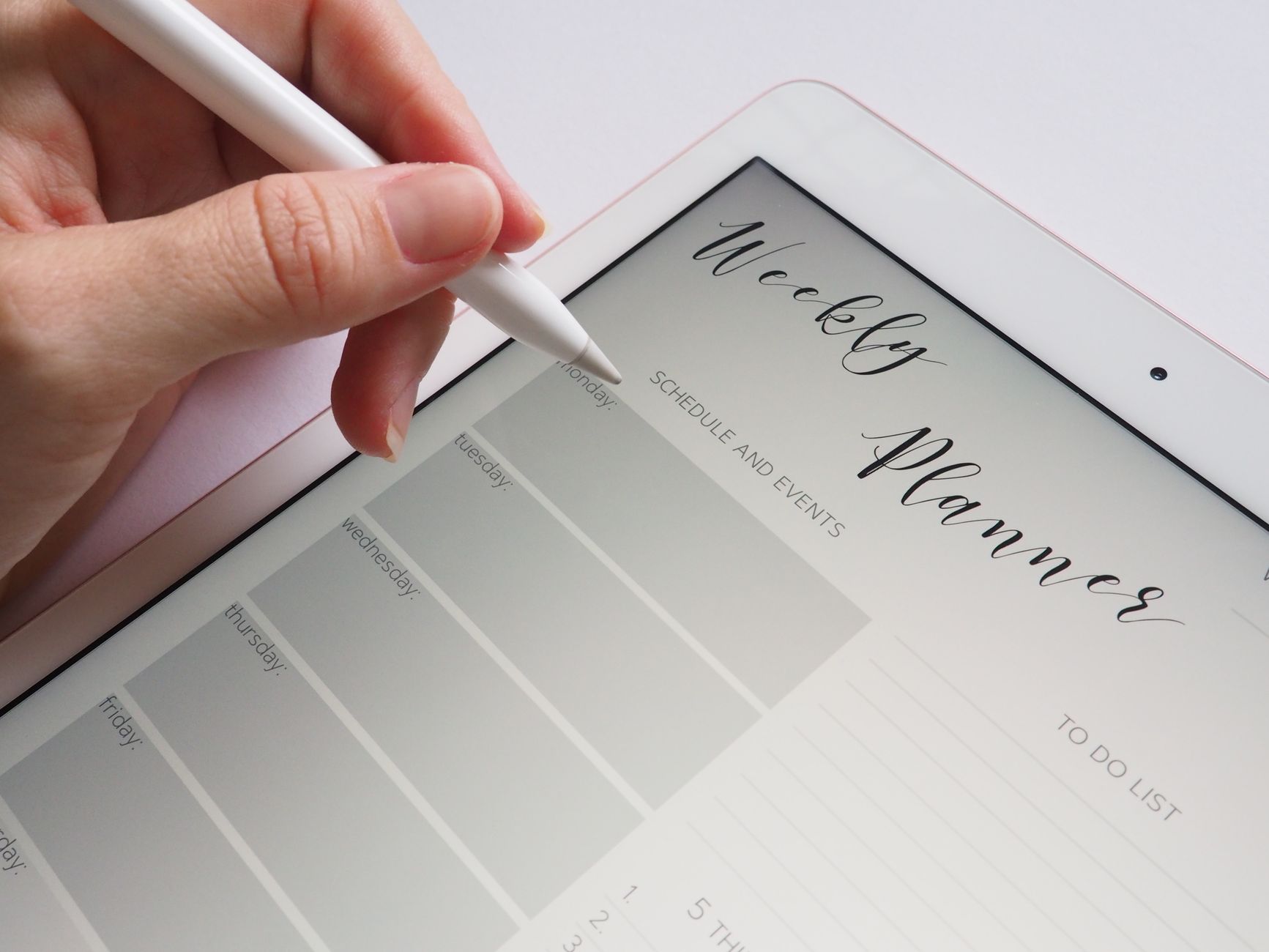
Digital planners are like a supercharged version of your phone’s calendar. They sync seamlessly with apps like Google Calendar, Apple Calendar, or even your smartwatch. This means:
- **Automatic reminders** for appointments, medication schedules (like prenatal vitamins), or even breastfeeding sessions.
- **Integration with other tools** like meal planners, grocery lists, or even fitness trackers. For example, if you’re using a balance ball for pregnancy exercises, you can schedule those workouts directly into your planner.
- **Searchable and filterable** tasks. Need to find that pediatrician’s note from last week? Just search your digital planner.
- **Cloud backup** means you’ll never lose it in the laundry or the car seat pocket.
**Digital Planner vs Paper Planner for New Moms: Organization and Scheduling Features**
When you’re a new mom, your world revolves around appointments, feedings, diaper changes, and nap schedules. So, how do digital planners vs paper planners for moms stack up in terms of organization and scheduling?
### **The Digital Edge: Syncing with Your Life**
Digital planners are like a supercharged version of your phone’s calendar. They sync seamlessly with apps like Google Calendar, Apple Calendar, or even your smartwatch. This means:
- **Automatic reminders** for appointments, medication schedules (like prenatal vitamins), or even breastfeeding sessions.
- **Integration with other tools** like meal planners, grocery lists, or even fitness trackers. For example, if you’re using a balance ball for pregnancy exercises, you can schedule those workouts directly into your planner.
- **Searchable and filterable** tasks. Need to find that pediatrician’s note from last week? Just search your digital planner.
- **Cloud backup** means you’ll never lose it in the laundry or the car seat pocket.
For pregnant women, this can be a game-changer. Imagine having all your prenatal appointments, ultrasound dates, and doctor’s notes in one place, with automatic reminders. No more missed check-ups or forgotten tests. Digital planners also allow you to add notes, like “Ask Dr. Smith about morning sickness remedies” during your next appointment, and they’ll be there when you need them.
### **The Paper Advantage: Tangible and Satisfying** Paper planners, on the other hand, offer a different kind of organization—one that’s tactile and satisfying. Studies show that writing things down by hand can improve memory retention and reduce stress. For moms who love the feeling of crossing things off or scribbling notes in the margins, paper can be incredibly therapeutic. It’s also great for: - **Quick brain dumps** when you’re on the go. Jot down a grocery list or a to-do item, and it’s right there in your hand. - **Minimalist moms** who prefer simplicity. No apps to download, no batteries to die—just a notebook and a pen. - **Creative moms** who love decorating their planners with stickers, washi tape, or doodles. There’s something inherently satisfying about personalizing your space.For new moms, paper planners can be especially useful for tracking newborn routines. You can write down feeding times, diaper changes, and nap schedules in real time, and there’s no risk of your phone dying in the middle of a night shift. Plus, if you’re someone who likes to keep a physical record of milestones (like first words or first steps), a paper planner makes it easy to document those moments.
### **The Hybrid Approach: Why Some Moms Use Both** Many moms find that the best solution isn’t choosing one or the other—it’s using both. For example: - Use a **digital planner** for appointments, reminders, and syncing with your calendar. - Use a **paper planner** for meal planning, grocery lists, and tracking daily routines.This way, you get the best of both worlds: the convenience of digital and the satisfaction of paper. Some moms even print out digital planner pages to use as a backup or for activities where they don’t have their phone, like grocery shopping or errands.
--- ## **Benefits of Digital Planners for Pregnant Women: Tracking What Matters Most**
Pregnancy is a whirlwind of appointments, tests, and milestones. So, what are the benefits of digital planners for pregnant women?
### **1. Appointment Tracking Made Easy**
Digital planners can sync with your calendar app, so every prenatal appointment, ultrasound, and doctor’s visit is automatically added. You’ll get reminders, and you can even add notes like “Bring urine sample” or “Ask about morning sickness relief.” This reduces the risk of missed appointments, which is crucial during pregnancy.
### **2. Health Tracking Features**
Many digital planners come with built-in health tracking features. You can log:
- **Prenatal vitamin intake** to ensure you’re staying consistent.
- **Symptoms** like nausea, fatigue, or swelling, which can help you spot patterns or discuss concerns with your doctor.
- **Weight and measurements**, so you can track your progress without carrying a separate journal.
### **3. Baby Name Ideas and Milestone Planning**
Digital planners often include sections for baby name ideas, due date calculations, and even milestone planning. You can add photos, save favorite names, and even create a digital baby book. This is especially useful if you’re someone who loves to plan and document special moments.
### **4. Integration with Other Apps**
Digital planners can integrate with other apps like meal planners, grocery lists, or even fitness trackers. For example, if you’re using a 30-minute dinner recipes app, you can schedule meals directly into your planner. This helps you stay organized without juggling multiple apps.
### **5. Accessibility and Portability**
Digital planners are always with you—on your phone, tablet, or computer. You can access them from anywhere, whether you’re at the doctor’s office, waiting in line at the grocery store, or lying in bed at night. This makes it easier to stay on top of your to-do list, even when you’re on the go.
### **6. Customizable Templates**
Many digital planners offer customizable templates for pregnancy tracking. You can choose from layouts that focus on appointments, symptoms, meals, or even mood tracking. This allows you to tailor your planner to your specific needs.
---
##
**Benefits of Digital Planners for Pregnant Women: Tracking What Matters Most**
Pregnancy is a whirlwind of appointments, tests, and milestones. So, what are the benefits of digital planners for pregnant women?
### **1. Appointment Tracking Made Easy**
Digital planners can sync with your calendar app, so every prenatal appointment, ultrasound, and doctor’s visit is automatically added. You’ll get reminders, and you can even add notes like “Bring urine sample” or “Ask about morning sickness relief.” This reduces the risk of missed appointments, which is crucial during pregnancy.
### **2. Health Tracking Features**
Many digital planners come with built-in health tracking features. You can log:
- **Prenatal vitamin intake** to ensure you’re staying consistent.
- **Symptoms** like nausea, fatigue, or swelling, which can help you spot patterns or discuss concerns with your doctor.
- **Weight and measurements**, so you can track your progress without carrying a separate journal.
### **3. Baby Name Ideas and Milestone Planning**
Digital planners often include sections for baby name ideas, due date calculations, and even milestone planning. You can add photos, save favorite names, and even create a digital baby book. This is especially useful if you’re someone who loves to plan and document special moments.
### **4. Integration with Other Apps**
Digital planners can integrate with other apps like meal planners, grocery lists, or even fitness trackers. For example, if you’re using a 30-minute dinner recipes app, you can schedule meals directly into your planner. This helps you stay organized without juggling multiple apps.
### **5. Accessibility and Portability**
Digital planners are always with you—on your phone, tablet, or computer. You can access them from anywhere, whether you’re at the doctor’s office, waiting in line at the grocery store, or lying in bed at night. This makes it easier to stay on top of your to-do list, even when you’re on the go.
### **6. Customizable Templates**
Many digital planners offer customizable templates for pregnancy tracking. You can choose from layouts that focus on appointments, symptoms, meals, or even mood tracking. This allows you to tailor your planner to your specific needs.
---
##  **Paper Planners for Moms with Newborns: Why Some Moms Still Prefer Ink and Paper**
If you’re a mom with a newborn, the world can feel overwhelming. There are feedings, diaper changes, naps, and a million other tasks to keep track of. So, why do some moms still prefer paper planners for moms with newborns?
### **1. The Satisfaction of Crossing Things Off**
There’s something incredibly rewarding about writing down a task and then crossing it off. For moms who love the feeling of accomplishment, paper planners provide that tactile satisfaction. It’s a simple but powerful way to stay motivated and organized.
### **2. Reduced Screen Time**
Newborns don’t care about your phone dying or your screen time limits. In fact, screen time can be a distraction when you’re trying to bond with your baby or track their sleep patterns. A paper planner allows you to focus on what’s in front of you—your baby and your tasks—without the temptation of notifications or social media.
### **3. Easy to Use During Night Shifts**
If you’re a mom who does a lot of night feeding or has a baby with irregular sleep patterns, a paper planner is easy to grab and jot down notes without waking up your phone. You can quickly log feedings, diaper changes, and naps without the need for light or a charged device.
### **4. Great for Tracking Daily Routines**
Paper planners are perfect for tracking daily routines like feeding schedules, diaper changes, and nap times. You can write down what time your baby ate, when they had a dirty diaper, and how long they slept. This helps you spot patterns and adjust your routine as needed.
### **5. Personalization and Creativity**
Paper planners allow you to personalize your space with stickers, washi tape, or doodles. This can make your planner feel more like a creative outlet than just a tool. For moms who love to decorate, this can be a fun way to stay organized.
### **6. No Need for Wi-Fi or Charging**
Unlike digital planners, paper planners don’t require Wi-Fi or a charged battery. This means you can use them anywhere—whether you’re at the park, in the car, or at a friend’s house—without worrying about connectivity issues.
### **7. Tracking Baby Milestones**
Paper planners are great for tracking baby milestones like first words, first steps, or even favorite foods. You can write down these special moments in a dedicated section, creating a keepsake that you can look back on as your baby grows.
---
##
**Paper Planners for Moms with Newborns: Why Some Moms Still Prefer Ink and Paper**
If you’re a mom with a newborn, the world can feel overwhelming. There are feedings, diaper changes, naps, and a million other tasks to keep track of. So, why do some moms still prefer paper planners for moms with newborns?
### **1. The Satisfaction of Crossing Things Off**
There’s something incredibly rewarding about writing down a task and then crossing it off. For moms who love the feeling of accomplishment, paper planners provide that tactile satisfaction. It’s a simple but powerful way to stay motivated and organized.
### **2. Reduced Screen Time**
Newborns don’t care about your phone dying or your screen time limits. In fact, screen time can be a distraction when you’re trying to bond with your baby or track their sleep patterns. A paper planner allows you to focus on what’s in front of you—your baby and your tasks—without the temptation of notifications or social media.
### **3. Easy to Use During Night Shifts**
If you’re a mom who does a lot of night feeding or has a baby with irregular sleep patterns, a paper planner is easy to grab and jot down notes without waking up your phone. You can quickly log feedings, diaper changes, and naps without the need for light or a charged device.
### **4. Great for Tracking Daily Routines**
Paper planners are perfect for tracking daily routines like feeding schedules, diaper changes, and nap times. You can write down what time your baby ate, when they had a dirty diaper, and how long they slept. This helps you spot patterns and adjust your routine as needed.
### **5. Personalization and Creativity**
Paper planners allow you to personalize your space with stickers, washi tape, or doodles. This can make your planner feel more like a creative outlet than just a tool. For moms who love to decorate, this can be a fun way to stay organized.
### **6. No Need for Wi-Fi or Charging**
Unlike digital planners, paper planners don’t require Wi-Fi or a charged battery. This means you can use them anywhere—whether you’re at the park, in the car, or at a friend’s house—without worrying about connectivity issues.
### **7. Tracking Baby Milestones**
Paper planners are great for tracking baby milestones like first words, first steps, or even favorite foods. You can write down these special moments in a dedicated section, creating a keepsake that you can look back on as your baby grows.
---
##  **How to Choose a Digital Planner for Pregnancy Tracking: A Step-by-Step Guide**
If you’ve decided that a digital planner is the right choice for you, how do you choose the best one for pregnancy tracking? Here’s what to look for:
### **1. Syncing with Your Calendar**
Make sure the digital planner you choose syncs seamlessly with your calendar app (Google Calendar, Apple Calendar, etc.). This ensures that all your appointments, reminders, and tasks are in one place.
### **2. Health Tracking Features**
Look for a planner with built-in health tracking features. You’ll want to be able to log:
- Prenatal vitamin intake
- Symptoms (nausea, fatigue, etc.)
- Weight and measurements
- Mood or energy levels
### **3. Customizable Templates**
Choose a planner with customizable templates for pregnancy tracking. This allows you to focus on the features that matter most to you, whether it’s appointments, symptoms, or meal planning.
### **4. Integration with Other Apps**
If you use other apps for meal planning, fitness tracking, or grocery lists, make sure the digital planner integrates with them. This helps you stay organized without juggling multiple apps.
### **5. User-Friendly Interface**
The planner should be easy to navigate, with a clean and intuitive interface. You don’t want to spend more time figuring out how to use the app than actually using it.
### **6. Offline Access**
While many digital planners require an internet connection, some offer offline access. This is useful if you’re in an area with poor connectivity or if you just prefer to use the app without being online.
### **7. Cost and Subscription Options**
Digital planners can be free or paid. Some offer free trials or limited features, while others require a subscription. Consider your budget and what features are most important to you.
### **8. Reviews and Recommendations**
Before choosing a planner, read reviews and ask for recommendations from other moms. This can give you insight into which planners work best for pregnancy tracking.
---
##
**How to Choose a Digital Planner for Pregnancy Tracking: A Step-by-Step Guide**
If you’ve decided that a digital planner is the right choice for you, how do you choose the best one for pregnancy tracking? Here’s what to look for:
### **1. Syncing with Your Calendar**
Make sure the digital planner you choose syncs seamlessly with your calendar app (Google Calendar, Apple Calendar, etc.). This ensures that all your appointments, reminders, and tasks are in one place.
### **2. Health Tracking Features**
Look for a planner with built-in health tracking features. You’ll want to be able to log:
- Prenatal vitamin intake
- Symptoms (nausea, fatigue, etc.)
- Weight and measurements
- Mood or energy levels
### **3. Customizable Templates**
Choose a planner with customizable templates for pregnancy tracking. This allows you to focus on the features that matter most to you, whether it’s appointments, symptoms, or meal planning.
### **4. Integration with Other Apps**
If you use other apps for meal planning, fitness tracking, or grocery lists, make sure the digital planner integrates with them. This helps you stay organized without juggling multiple apps.
### **5. User-Friendly Interface**
The planner should be easy to navigate, with a clean and intuitive interface. You don’t want to spend more time figuring out how to use the app than actually using it.
### **6. Offline Access**
While many digital planners require an internet connection, some offer offline access. This is useful if you’re in an area with poor connectivity or if you just prefer to use the app without being online.
### **7. Cost and Subscription Options**
Digital planners can be free or paid. Some offer free trials or limited features, while others require a subscription. Consider your budget and what features are most important to you.
### **8. Reviews and Recommendations**
Before choosing a planner, read reviews and ask for recommendations from other moms. This can give you insight into which planners work best for pregnancy tracking.
---
##  **Cost Comparison: Digital vs Paper Planners for Moms**
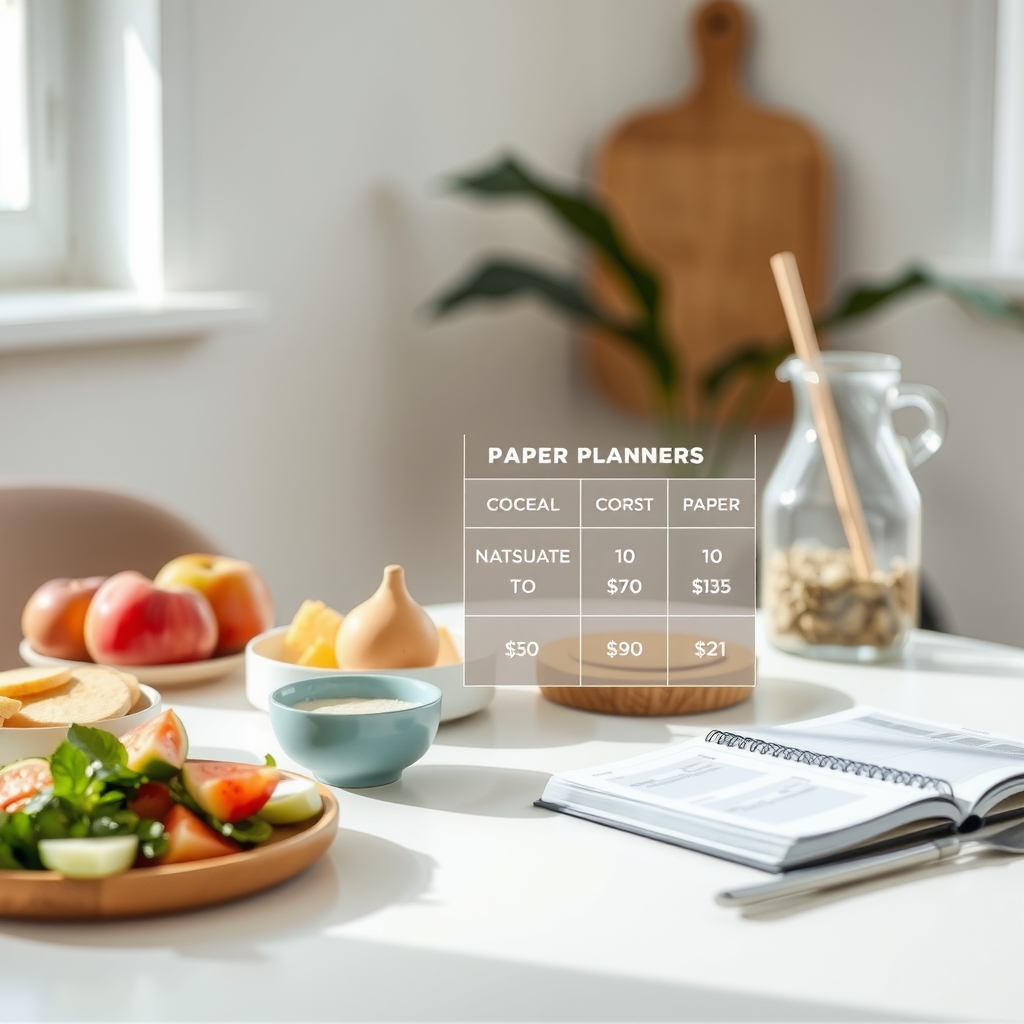
One of the biggest factors in choosing between a digital and paper planner is cost. Let’s break down the cost comparison of digital vs paper planners for moms:
| **Factor** | **Digital Planners** | **Paper Planners** |
|--------------------------|-----------------------------------------------|---------------------------------------------|
| **Upfront Cost** | Free (basic) to $20–$50 (premium apps) | $10–$50 (depending on size and features) |
| **Recurring Costs** | Some require subscriptions ($5–$15/month) | None (one-time purchase) |
| **Supplies** | None (just your device) | Pens, stickers, washi tape, etc. (~$5–$20) |
| **Storage** | Cloud storage (no physical space needed) | Requires physical space for storage |
| **Customization** | Limited to app features | Endless (stickers, doodles, etc.) |
| **Portability** | Always with you (on your device) | Can be left behind or lost |
| **Long-Term Value** | Updates and new features | Depends on durability and personalization |
### **When to Choose Digital**
- You’re on a tight budget and want a free or low-cost option.
- You need automatic reminders and syncing with your calendar.
- You prefer minimalist organization and don’t mind digital features.
### **When to Choose Paper**
- You love the tactile feel of writing and crossing things off.
- You want to reduce screen time and focus on your baby.
- You enjoy personalizing your planner with stickers or doodles.
### **Hybrid Approach**
Many moms find that a combination of both works best. For example:
- Use a **digital planner** for appointments, reminders, and syncing with your calendar.
- Use a **paper planner** for meal planning, grocery lists, and tracking daily routines.
---
##
**Cost Comparison: Digital vs Paper Planners for Moms**
One of the biggest factors in choosing between a digital and paper planner is cost. Let’s break down the cost comparison of digital vs paper planners for moms:
| **Factor** | **Digital Planners** | **Paper Planners** |
|--------------------------|-----------------------------------------------|---------------------------------------------|
| **Upfront Cost** | Free (basic) to $20–$50 (premium apps) | $10–$50 (depending on size and features) |
| **Recurring Costs** | Some require subscriptions ($5–$15/month) | None (one-time purchase) |
| **Supplies** | None (just your device) | Pens, stickers, washi tape, etc. (~$5–$20) |
| **Storage** | Cloud storage (no physical space needed) | Requires physical space for storage |
| **Customization** | Limited to app features | Endless (stickers, doodles, etc.) |
| **Portability** | Always with you (on your device) | Can be left behind or lost |
| **Long-Term Value** | Updates and new features | Depends on durability and personalization |
### **When to Choose Digital**
- You’re on a tight budget and want a free or low-cost option.
- You need automatic reminders and syncing with your calendar.
- You prefer minimalist organization and don’t mind digital features.
### **When to Choose Paper**
- You love the tactile feel of writing and crossing things off.
- You want to reduce screen time and focus on your baby.
- You enjoy personalizing your planner with stickers or doodles.
### **Hybrid Approach**
Many moms find that a combination of both works best. For example:
- Use a **digital planner** for appointments, reminders, and syncing with your calendar.
- Use a **paper planner** for meal planning, grocery lists, and tracking daily routines.
---
##  **Digital Planner Features for Mom Schedules: What to Look For**
If you’re using a digital planner to manage your mom schedule, there are certain features that can make your life easier. Here’s what to look for:
### **1. Appointment Tracking**
Look for a planner that allows you to add, edit, and reschedule appointments easily. You’ll want automatic reminders for things like:
- Prenatal appointments
- Pediatrician visits
- Vaccination schedules
- Wellness check-ups
### **2. Task Management**
A good digital planner should allow you to create to-do lists, set priorities, and track progress. This helps you stay on top of household chores, meal planning, and other daily tasks.
### **3. Meal Planning and Grocery Lists**
Many digital planners include meal planning and grocery list features. This can help you stay organized and save time on grocery shopping. You can even sync these lists with apps like 30-minute dinner recipes for quick and healthy meals.
### **4. Health and Wellness Tracking**
If you’re tracking your health or your baby’s milestones, look for a planner with health tracking features. This can include:
- Prenatal vitamin intake
- Symptom tracking
- Weight and measurements
- Sleep patterns
### **5. Integration with Other Apps**
The best digital planners integrate with other apps you use, like:
- **Calendar apps** (Google Calendar, Apple Calendar)
- **Meal planning apps**
- **Fitness trackers**
- **Grocery delivery services**
### **6. Customizable Templates**
Choose a planner with customizable templates for mom schedules. This allows you to focus on the features that matter most to you, whether it’s appointments, meal planning, or chore tracking.
### **7. Offline Access**
While many digital planners require an internet connection, some offer offline access. This is useful if you’re in an area with poor connectivity or if you just prefer to use the app without being online.
### **8. User-Friendly Interface**
The planner should be easy to navigate, with a clean and intuitive interface. You don’t want to spend more time figuring out how to use the app than actually using it.
---
##
**Digital Planner Features for Mom Schedules: What to Look For**
If you’re using a digital planner to manage your mom schedule, there are certain features that can make your life easier. Here’s what to look for:
### **1. Appointment Tracking**
Look for a planner that allows you to add, edit, and reschedule appointments easily. You’ll want automatic reminders for things like:
- Prenatal appointments
- Pediatrician visits
- Vaccination schedules
- Wellness check-ups
### **2. Task Management**
A good digital planner should allow you to create to-do lists, set priorities, and track progress. This helps you stay on top of household chores, meal planning, and other daily tasks.
### **3. Meal Planning and Grocery Lists**
Many digital planners include meal planning and grocery list features. This can help you stay organized and save time on grocery shopping. You can even sync these lists with apps like 30-minute dinner recipes for quick and healthy meals.
### **4. Health and Wellness Tracking**
If you’re tracking your health or your baby’s milestones, look for a planner with health tracking features. This can include:
- Prenatal vitamin intake
- Symptom tracking
- Weight and measurements
- Sleep patterns
### **5. Integration with Other Apps**
The best digital planners integrate with other apps you use, like:
- **Calendar apps** (Google Calendar, Apple Calendar)
- **Meal planning apps**
- **Fitness trackers**
- **Grocery delivery services**
### **6. Customizable Templates**
Choose a planner with customizable templates for mom schedules. This allows you to focus on the features that matter most to you, whether it’s appointments, meal planning, or chore tracking.
### **7. Offline Access**
While many digital planners require an internet connection, some offer offline access. This is useful if you’re in an area with poor connectivity or if you just prefer to use the app without being online.
### **8. User-Friendly Interface**
The planner should be easy to navigate, with a clean and intuitive interface. You don’t want to spend more time figuring out how to use the app than actually using it.
---
##  **Paper Planner Templates for Mom Meal Planning: A Step-by-Step Guide**
If you’re a mom who loves paper planners, there are plenty of templates and layouts to help you with meal planning. Here’s how to use paper planner templates for mom meal planning effectively:
### **1. Choose the Right Template**
Many paper planners come with dedicated meal planning sections. Look for templates that include:
- **Weekly meal plans** (breakfast, lunch, dinner, snacks)
- **Grocery lists**
- **Recipe ideas or favorites**
- **Meal prep days**
### **2. Plan Ahead**
Meal planning works best when you plan ahead. Set aside a few minutes each week to:
- Review your schedule for the upcoming week.
- Choose meals that fit your family’s preferences and dietary needs.
- Make a grocery list based on your meal plan.
### **3. Use Stickers or Highlighters**
Many moms love using stickers or highlighters to mark their meal plans. This makes it easy to see what’s already planned and what’s left to do. You can also use different colors for different family members or dietary restrictions.
### **4. Include Snack Ideas**
Don’t forget to include snack ideas in your meal plan. This can help you avoid last-minute snacking or unhealthy choices. Some moms even include a “quick snacks” section with pre-made options like fruit, yogurt, or nuts.
### **5. Track Leftovers**
Use your paper planner to track leftovers. This helps you reduce food waste and saves you time on meal prep. You can jot down what’s left over from each meal and plan to use it in the next few days.
### **6. Personalize Your Template**
Don’t be afraid to personalize your meal planning template. Add sections for:
- Favorite recipes
- Meal prep days
- Grocery store coupons
- Dietary restrictions or allergies
### **7. Review and Adjust**
At the end of each week, review your meal plan and adjust as needed. This helps you identify what worked well and what didn’t, so you can improve your meal planning for the next week.
---
##
**Paper Planner Templates for Mom Meal Planning: A Step-by-Step Guide**
If you’re a mom who loves paper planners, there are plenty of templates and layouts to help you with meal planning. Here’s how to use paper planner templates for mom meal planning effectively:
### **1. Choose the Right Template**
Many paper planners come with dedicated meal planning sections. Look for templates that include:
- **Weekly meal plans** (breakfast, lunch, dinner, snacks)
- **Grocery lists**
- **Recipe ideas or favorites**
- **Meal prep days**
### **2. Plan Ahead**
Meal planning works best when you plan ahead. Set aside a few minutes each week to:
- Review your schedule for the upcoming week.
- Choose meals that fit your family’s preferences and dietary needs.
- Make a grocery list based on your meal plan.
### **3. Use Stickers or Highlighters**
Many moms love using stickers or highlighters to mark their meal plans. This makes it easy to see what’s already planned and what’s left to do. You can also use different colors for different family members or dietary restrictions.
### **4. Include Snack Ideas**
Don’t forget to include snack ideas in your meal plan. This can help you avoid last-minute snacking or unhealthy choices. Some moms even include a “quick snacks” section with pre-made options like fruit, yogurt, or nuts.
### **5. Track Leftovers**
Use your paper planner to track leftovers. This helps you reduce food waste and saves you time on meal prep. You can jot down what’s left over from each meal and plan to use it in the next few days.
### **6. Personalize Your Template**
Don’t be afraid to personalize your meal planning template. Add sections for:
- Favorite recipes
- Meal prep days
- Grocery store coupons
- Dietary restrictions or allergies
### **7. Review and Adjust**
At the end of each week, review your meal plan and adjust as needed. This helps you identify what worked well and what didn’t, so you can improve your meal planning for the next week.
---
##  **How to Sync Digital Planner with Phone for Moms: A Step-by-Step Guide**
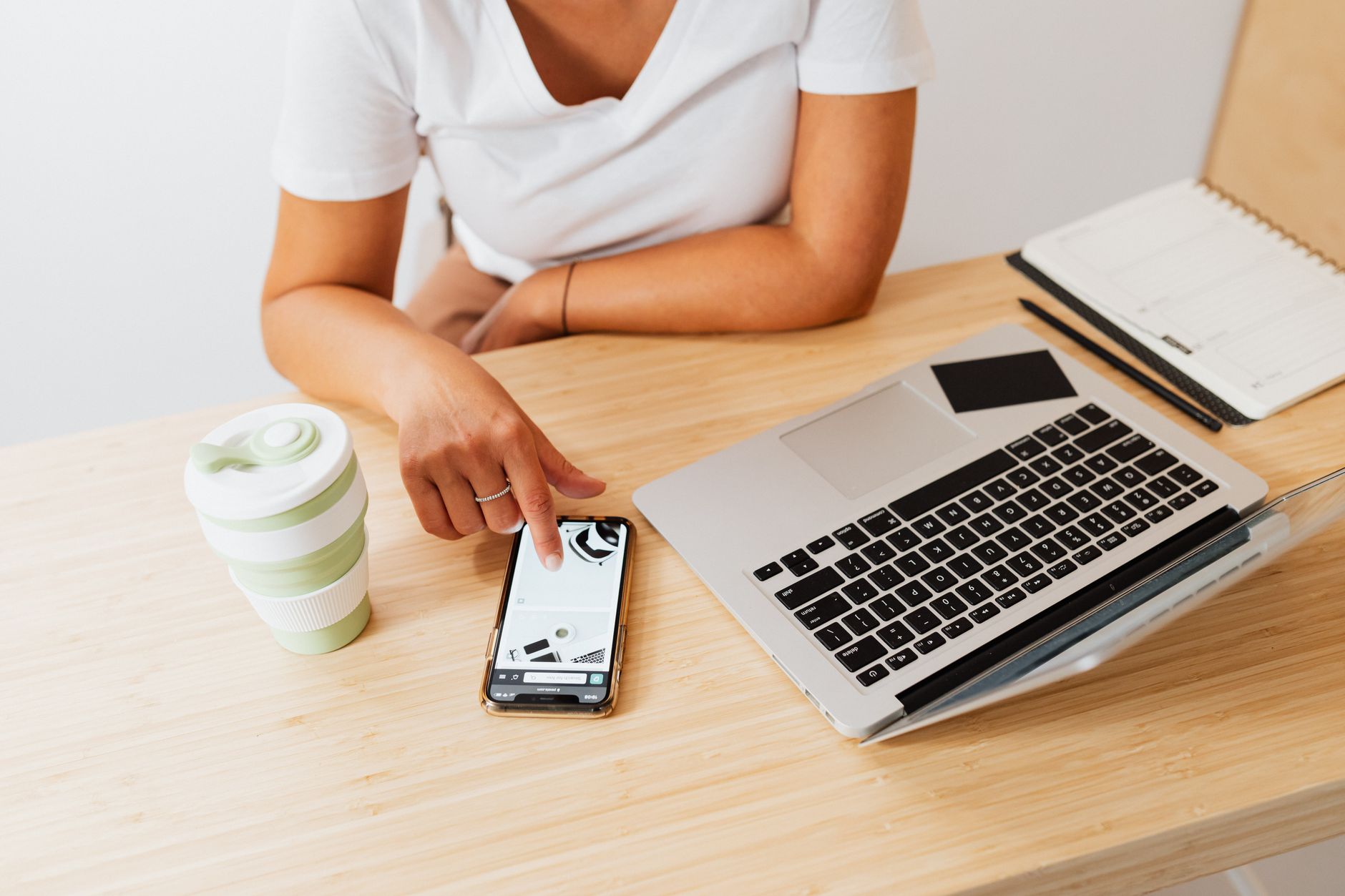
Syncing your digital planner with your phone can make your life easier by keeping all your tasks, appointments, and reminders in one place. Here’s how to do it:
### **1. Choose a Compatible App**
Not all digital planners sync with your phone. Make sure the app you choose is compatible with your phone’s operating system (iOS or Android). Some popular options include:
- **Google Calendar** (syncs with Gmail and other Google apps)
- **Apple Calendar** (syncs with iCloud and other Apple devices)
- **Notion** (a versatile app for task management and planning)
- **Evernote** (great for note-taking and organization)
### **2. Download and Install the App**
Once you’ve chosen a compatible app, download and install it on your phone. Follow the setup instructions to create an account and customize your planner.
### **3. Add Your Tasks and Appointments**
Start by adding your tasks, appointments, and reminders to your digital planner. Most apps allow you to:
- Create to-do lists
- Set deadlines and priorities
- Add notes or attachments
- Invite family members to shared tasks
### **4. Sync with Your Phone’s Calendar**
Most digital planners sync with your phone’s calendar app. Here’s how to do it:
- Open your phone’s calendar app (Google Calendar or Apple Calendar).
- Look for an option to add or sync another calendar.
- Select the digital planner app you’re using.
- Follow the prompts to sync your calendars.
### **5. Set Up Reminders**
Once your calendars are synced, set up reminders for important tasks and appointments. This ensures you’ll get notifications on your phone, even if you’re not actively using the planner app.
### **6. Customize Notifications**
Adjust your notification settings to ensure you get reminders at the right time. For example:
- Set reminders for appointments 24 hours in advance.
- Enable notifications for tasks with deadlines.
- Choose whether you want to receive notifications via push alerts or email.
### **7. Test the Sync**
Before relying on your digital planner, test the sync to make sure everything is working correctly. Add a task or appointment and check if it appears on your phone’s calendar.
### **8. Keep Your Apps Updated**
Regularly update your digital planner app and your phone’s operating system to ensure everything runs smoothly. Updates often include bug fixes and new features that can improve your experience.
---
##
**How to Sync Digital Planner with Phone for Moms: A Step-by-Step Guide**
Syncing your digital planner with your phone can make your life easier by keeping all your tasks, appointments, and reminders in one place. Here’s how to do it:
### **1. Choose a Compatible App**
Not all digital planners sync with your phone. Make sure the app you choose is compatible with your phone’s operating system (iOS or Android). Some popular options include:
- **Google Calendar** (syncs with Gmail and other Google apps)
- **Apple Calendar** (syncs with iCloud and other Apple devices)
- **Notion** (a versatile app for task management and planning)
- **Evernote** (great for note-taking and organization)
### **2. Download and Install the App**
Once you’ve chosen a compatible app, download and install it on your phone. Follow the setup instructions to create an account and customize your planner.
### **3. Add Your Tasks and Appointments**
Start by adding your tasks, appointments, and reminders to your digital planner. Most apps allow you to:
- Create to-do lists
- Set deadlines and priorities
- Add notes or attachments
- Invite family members to shared tasks
### **4. Sync with Your Phone’s Calendar**
Most digital planners sync with your phone’s calendar app. Here’s how to do it:
- Open your phone’s calendar app (Google Calendar or Apple Calendar).
- Look for an option to add or sync another calendar.
- Select the digital planner app you’re using.
- Follow the prompts to sync your calendars.
### **5. Set Up Reminders**
Once your calendars are synced, set up reminders for important tasks and appointments. This ensures you’ll get notifications on your phone, even if you’re not actively using the planner app.
### **6. Customize Notifications**
Adjust your notification settings to ensure you get reminders at the right time. For example:
- Set reminders for appointments 24 hours in advance.
- Enable notifications for tasks with deadlines.
- Choose whether you want to receive notifications via push alerts or email.
### **7. Test the Sync**
Before relying on your digital planner, test the sync to make sure everything is working correctly. Add a task or appointment and check if it appears on your phone’s calendar.
### **8. Keep Your Apps Updated**
Regularly update your digital planner app and your phone’s operating system to ensure everything runs smoothly. Updates often include bug fixes and new features that can improve your experience.
---
##  **Paper Planner for Moms to Manage Household Chores: A Practical Guide**
If you’re a mom who prefers paper planners, you can still use them to manage household chores effectively. Here’s how:
### **1. Create a Chore List**
Start by creating a comprehensive list of household chores. Include tasks like:
- Laundry
- Dishes
- Vacuuming
- Meal prep
- Cleaning bathrooms
- Grocery shopping
### **2. Organize by Day or Week**
Decide whether you want to organize your chores by day or by week. Some moms prefer a daily chore list, while others like to spread tasks out over the week to avoid burnout.
### **3. Assign Responsibilities**
If you have a partner or older kids, assign responsibilities to each person. This helps everyone contribute and keeps the household running smoothly.
### **4. Use Checklists**
Create checklists for each chore to ensure nothing is missed. For example:
- **Laundry checklist**: Sort clothes, wash, dry, fold, put away.
- **Dishes checklist**: Scrape plates, load dishwasher, wash by hand, dry and put away.
### **5. Track Completion**
Use your paper planner to track which chores have been completed. You can:
- Cross off tasks as you finish them.
- Use stickers or highlighters to mark completed chores.
- Add a “done” stamp for a satisfying finish.
### **6. Schedule Chore Time**
Set aside specific times for chores, such as:
- **Morning**: Quick tidy-up before everyone leaves for school or work.
- **Afternoon**: Meal prep or grocery shopping.
- **Evening**: Washing dishes or folding laundry.
### **7. Include Flexible Tasks**
Not every day is the same, so include flexible tasks in your chore list. These can be adjusted based on your family’s needs or your energy levels.
### **8. Review and Adjust Weekly**
At the end of each week, review your chore list and adjust as needed. This helps you identify what worked well and what didn’t, so you can improve your routine for the next week.
---
##
**Paper Planner for Moms to Manage Household Chores: A Practical Guide**
If you’re a mom who prefers paper planners, you can still use them to manage household chores effectively. Here’s how:
### **1. Create a Chore List**
Start by creating a comprehensive list of household chores. Include tasks like:
- Laundry
- Dishes
- Vacuuming
- Meal prep
- Cleaning bathrooms
- Grocery shopping
### **2. Organize by Day or Week**
Decide whether you want to organize your chores by day or by week. Some moms prefer a daily chore list, while others like to spread tasks out over the week to avoid burnout.
### **3. Assign Responsibilities**
If you have a partner or older kids, assign responsibilities to each person. This helps everyone contribute and keeps the household running smoothly.
### **4. Use Checklists**
Create checklists for each chore to ensure nothing is missed. For example:
- **Laundry checklist**: Sort clothes, wash, dry, fold, put away.
- **Dishes checklist**: Scrape plates, load dishwasher, wash by hand, dry and put away.
### **5. Track Completion**
Use your paper planner to track which chores have been completed. You can:
- Cross off tasks as you finish them.
- Use stickers or highlighters to mark completed chores.
- Add a “done” stamp for a satisfying finish.
### **6. Schedule Chore Time**
Set aside specific times for chores, such as:
- **Morning**: Quick tidy-up before everyone leaves for school or work.
- **Afternoon**: Meal prep or grocery shopping.
- **Evening**: Washing dishes or folding laundry.
### **7. Include Flexible Tasks**
Not every day is the same, so include flexible tasks in your chore list. These can be adjusted based on your family’s needs or your energy levels.
### **8. Review and Adjust Weekly**
At the end of each week, review your chore list and adjust as needed. This helps you identify what worked well and what didn’t, so you can improve your routine for the next week.
---
##  **Digital Planner for Moms to Track Breastfeeding Schedule: A New Mom’s Survival Guide**
Breastfeeding can be a full-time job in itself, and tracking your schedule is essential for both you and your baby. Here’s how a digital planner can help:
### **1. Log Feeding Times**
Use your digital planner to log each feeding time. This helps you track your baby’s hunger cues and adjust your schedule as needed. You can also add notes like:
- How long the feeding lasted
- Whether your baby was fussy before feeding
- Any signs of discomfort or reflux
### **2. Track Milk Supply**
Some digital planners allow you to track your milk supply, including:
- Pumping sessions
- Cluster feeding times
- Signs of low supply (like frequent nursing or baby’s weight gain)
### **3. Set Reminders for Pumping**
If you’re pumping at work or away from your baby, set reminders in your digital planner to ensure you don’t miss sessions. You can also track how much milk you pump and store it for later use.
### **4. Monitor Baby’s Weight Gain**
Use your digital planner to track your baby’s weight gain and growth milestones. This helps you monitor their progress and discuss any concerns with your pediatrician.
### **5. Plan for Work or Errands**
If you’re returning to work or need to step out for errands, use your digital planner to plan pumping sessions and ensure you have everything you need (like a good audiobook to keep you company while you pump).
### **6. Track Sleep Patterns**
Breastfeeding can affect your sleep, so use your digital planner to track your own sleep patterns. This helps you identify when you’re getting enough rest and when you might need to adjust your routine.
### **7. Share with Your Partner or Support System**
Many digital planners allow you to share your schedule with your partner or support system. This ensures everyone is on the same page and can help out when needed.
### **8. Use Templates for Newborn Routines**
Look for digital planner templates specifically designed for newborn routines. These often include sections for:
- Feeding schedules
- Diaper changes
- Nap times
- Bath times
---
##
**Digital Planner for Moms to Track Breastfeeding Schedule: A New Mom’s Survival Guide**
Breastfeeding can be a full-time job in itself, and tracking your schedule is essential for both you and your baby. Here’s how a digital planner can help:
### **1. Log Feeding Times**
Use your digital planner to log each feeding time. This helps you track your baby’s hunger cues and adjust your schedule as needed. You can also add notes like:
- How long the feeding lasted
- Whether your baby was fussy before feeding
- Any signs of discomfort or reflux
### **2. Track Milk Supply**
Some digital planners allow you to track your milk supply, including:
- Pumping sessions
- Cluster feeding times
- Signs of low supply (like frequent nursing or baby’s weight gain)
### **3. Set Reminders for Pumping**
If you’re pumping at work or away from your baby, set reminders in your digital planner to ensure you don’t miss sessions. You can also track how much milk you pump and store it for later use.
### **4. Monitor Baby’s Weight Gain**
Use your digital planner to track your baby’s weight gain and growth milestones. This helps you monitor their progress and discuss any concerns with your pediatrician.
### **5. Plan for Work or Errands**
If you’re returning to work or need to step out for errands, use your digital planner to plan pumping sessions and ensure you have everything you need (like a good audiobook to keep you company while you pump).
### **6. Track Sleep Patterns**
Breastfeeding can affect your sleep, so use your digital planner to track your own sleep patterns. This helps you identify when you’re getting enough rest and when you might need to adjust your routine.
### **7. Share with Your Partner or Support System**
Many digital planners allow you to share your schedule with your partner or support system. This ensures everyone is on the same page and can help out when needed.
### **8. Use Templates for Newborn Routines**
Look for digital planner templates specifically designed for newborn routines. These often include sections for:
- Feeding schedules
- Diaper changes
- Nap times
- Bath times
---
##  **Best Digital Planner for Moms with Toddlers: A Parent’s Guide**
If you’re a mom with toddlers, your planner needs to be even more dynamic. Here’s how to choose the best digital planner for moms with toddlers:
### **1. Schedule Management**
Toddlers have a lot of activities—daycare drop-offs, playdates, music classes, and more. A good digital planner should help you:
- Schedule all your toddler’s activities.
- Set reminders for pick-ups and drop-offs.
- Track vacations or family trips.
### **2. Meal Planning and Grocery Lists**
Toddlers have specific dietary needs, and meal planning can be a challenge. Look for a planner that includes:
- Meal planning templates for toddlers.
- Grocery lists tailored to your family’s needs.
- Recipe ideas for picky eaters.
### **3. Chore and Household Management**
With toddlers around, household chores can feel endless. Use your digital planner to:
- Create a chore list for the whole family.
- Assign tasks to your partner or older kids.
- Track completed chores for accountability.
### **4. Health and Wellness Tracking**
Keep track of your toddler’s health, including:
- Vaccination schedules
- Doctor’s appointments
- Growth milestones
- Allergies or dietary restrictions
### **5. Integration with Other Apps**
Sync your digital planner with apps like:
- **Daycare or preschool communication apps**
- **Fitness trackers** (for your own workouts)
- **Meal delivery services**
### **6. Customizable Templates**
Choose a planner with customizable templates for toddler schedules. This allows you to focus on the features that matter most, whether it’s activities, meals, or chores.
### **7. Offline Access and Backup**
Even with toddlers, you might not always have Wi-Fi. Look for a planner with offline access and cloud backup to ensure you never lose your data.
### **8. User-Friendly Interface**
The planner should be easy to navigate, even when you’re on the go. Look for features like:
- Quick search and filter options
- Voice-to-text for hands-free input
- Customizable widgets for quick access to important tasks
---
##
**Best Digital Planner for Moms with Toddlers: A Parent’s Guide**
If you’re a mom with toddlers, your planner needs to be even more dynamic. Here’s how to choose the best digital planner for moms with toddlers:
### **1. Schedule Management**
Toddlers have a lot of activities—daycare drop-offs, playdates, music classes, and more. A good digital planner should help you:
- Schedule all your toddler’s activities.
- Set reminders for pick-ups and drop-offs.
- Track vacations or family trips.
### **2. Meal Planning and Grocery Lists**
Toddlers have specific dietary needs, and meal planning can be a challenge. Look for a planner that includes:
- Meal planning templates for toddlers.
- Grocery lists tailored to your family’s needs.
- Recipe ideas for picky eaters.
### **3. Chore and Household Management**
With toddlers around, household chores can feel endless. Use your digital planner to:
- Create a chore list for the whole family.
- Assign tasks to your partner or older kids.
- Track completed chores for accountability.
### **4. Health and Wellness Tracking**
Keep track of your toddler’s health, including:
- Vaccination schedules
- Doctor’s appointments
- Growth milestones
- Allergies or dietary restrictions
### **5. Integration with Other Apps**
Sync your digital planner with apps like:
- **Daycare or preschool communication apps**
- **Fitness trackers** (for your own workouts)
- **Meal delivery services**
### **6. Customizable Templates**
Choose a planner with customizable templates for toddler schedules. This allows you to focus on the features that matter most, whether it’s activities, meals, or chores.
### **7. Offline Access and Backup**
Even with toddlers, you might not always have Wi-Fi. Look for a planner with offline access and cloud backup to ensure you never lose your data.
### **8. User-Friendly Interface**
The planner should be easy to navigate, even when you’re on the go. Look for features like:
- Quick search and filter options
- Voice-to-text for hands-free input
- Customizable widgets for quick access to important tasks
---
##  **Paper Planner for Mom to Track Baby Milestones: A Keepsake Guide**
Tracking baby milestones is one of the most special parts of motherhood. A paper planner can be the perfect way to document these precious moments. Here’s how:
### **1. Create a Milestone Section**
Dedicate a section in your paper planner to baby milestones. This can include:
- First words
- First steps
- First teeth
- Favorite foods
- Special achievements (like finishing a bottle without spilling)
### **2. Use Stickers or Photos**
Enhance your milestone tracking by using:
- Stickers to mark each milestone
- Small photos or drawings of your baby
- Washi tape to create a visual timeline
### **3. Log Developmental Milestones**
Track your baby’s developmental milestones, such as:
- Rolling over
- Sitting up
- Crawling
- Walking
- Talking
### **4. Note Important Dates**
Include important dates like:
- Birth date
- First doctor’s visit
- First vaccination
- First birthday
### **5. Add Personal Notes**
Include personal notes about your baby’s personality, favorite toys, or special moments. This creates a keepsake that you and your baby can look back on as they grow.
### **6. Use a Dedicated Baby Book**
Some moms prefer to use a separate baby book or journal for milestones. This can be a beautiful way to document your baby’s first year and beyond.
### **7. Share with Family**
If you want to share your baby’s milestones with family, you can:
- Take photos of your planner pages and share them digitally.
- Create a scrapbook with printed pages from your planner.
- Invite family members to add their own notes or drawings.
---
##
**Paper Planner for Mom to Track Baby Milestones: A Keepsake Guide**
Tracking baby milestones is one of the most special parts of motherhood. A paper planner can be the perfect way to document these precious moments. Here’s how:
### **1. Create a Milestone Section**
Dedicate a section in your paper planner to baby milestones. This can include:
- First words
- First steps
- First teeth
- Favorite foods
- Special achievements (like finishing a bottle without spilling)
### **2. Use Stickers or Photos**
Enhance your milestone tracking by using:
- Stickers to mark each milestone
- Small photos or drawings of your baby
- Washi tape to create a visual timeline
### **3. Log Developmental Milestones**
Track your baby’s developmental milestones, such as:
- Rolling over
- Sitting up
- Crawling
- Walking
- Talking
### **4. Note Important Dates**
Include important dates like:
- Birth date
- First doctor’s visit
- First vaccination
- First birthday
### **5. Add Personal Notes**
Include personal notes about your baby’s personality, favorite toys, or special moments. This creates a keepsake that you and your baby can look back on as they grow.
### **6. Use a Dedicated Baby Book**
Some moms prefer to use a separate baby book or journal for milestones. This can be a beautiful way to document your baby’s first year and beyond.
### **7. Share with Family**
If you want to share your baby’s milestones with family, you can:
- Take photos of your planner pages and share them digitally.
- Create a scrapbook with printed pages from your planner.
- Invite family members to add their own notes or drawings.
---
##  **Digital vs Paper Planner for Postpartum Recovery: What Works Best?**
Postpartum recovery is a unique time that requires careful planning and tracking. So, which is better: digital vs paper planner for postpartum recovery?
### **When to Choose Digital**
- **Appointment Tracking**: Digital planners sync seamlessly with your calendar, ensuring you don’t miss postpartum check-ups, lactation consultations, or therapy sessions.
- **Health Monitoring**: Track symptoms, pain levels, and recovery progress with ease. Many digital planners include health tracking features.
- **Reminders**: Set reminders for medication, hydration, and rest breaks to help you stay on top of your recovery.
- **Integration with Apps**: Sync with apps for meal delivery, fitness tracking, or mental health support.
### **When to Choose Paper**
- **Tactile Satisfaction**: Writing down your recovery progress
**Digital vs Paper Planner for Postpartum Recovery: What Works Best?**
Postpartum recovery is a unique time that requires careful planning and tracking. So, which is better: digital vs paper planner for postpartum recovery?
### **When to Choose Digital**
- **Appointment Tracking**: Digital planners sync seamlessly with your calendar, ensuring you don’t miss postpartum check-ups, lactation consultations, or therapy sessions.
- **Health Monitoring**: Track symptoms, pain levels, and recovery progress with ease. Many digital planners include health tracking features.
- **Reminders**: Set reminders for medication, hydration, and rest breaks to help you stay on top of your recovery.
- **Integration with Apps**: Sync with apps for meal delivery, fitness tracking, or mental health support.
### **When to Choose Paper**
- **Tactile Satisfaction**: Writing down your recovery progress
