Quick take: Most experts suggest waiting until you’ve reached at least 12–14 weeks (the start of the second trimester) before sharing a pregnancy announcement on social media, but the exact timing — when to announce pregnancy on social media — depends on your comfort level, family dynamics, and the platform you choose. Adjust privacy settings, plan your caption, and be ready to manage reactions, both supportive and critical.
Imagine scrolling through your feed at 2 a.m., heart racing, when you see a friend’s newborn photo and think, “I’m going to be a mom soon.” The excitement is intoxicating, yet a swirl of “should I tell them now?” and “what if someone finds out before I’m ready?” thoughts can feel overwhelming. You’re not alone—many women wrestle with the perfect moment to share their joyous news online.
In this guide, we’ll walk you through when to announce pregnancy on social media from every angle: timing by trimester, platform‑specific tips, privacy controls, creative ideas for your post, and how to handle the ripple of reactions that follow. Whether you’re gearing up for a polished Instagram carousel or a quick tweet, this article gives you a clear, step‑by‑step plan so you can celebrate confidently.
We’ll also explore common myths, cultural expectations, and legal considerations, so you can protect your privacy while honoring the people who matter most. Let’s dive in.

Best time to announce pregnancy on Instagram?
Instagram thrives on visual storytelling, so many expectant parents aim for a picture‑perfect moment. The consensus among obstetric societies, such as the American College of Obstetricians and Gynecologists (ACOG), is to wait until you’ve passed the 12‑week mark. By then, the risk of miscarriage drops significantly, and you’ll have a clearer view of your growing bump to share.
Why 12‑14 weeks feels safe
- Medical reassurance: Miscarriage rates decline after the first trimester, according to the CDC.
- Personal confidence: You’ve likely had your first prenatal visit, confirming the pregnancy.
- Visual appeal: A baby bump begins to show, making photos more authentic.
Instagram‑specific timing tips
- Plan to post during peak engagement hours (usually 9 a.m.–11 a.m. local time).
- Consider a “save the date” story if you’re still in the early weeks but want to involve close friends.
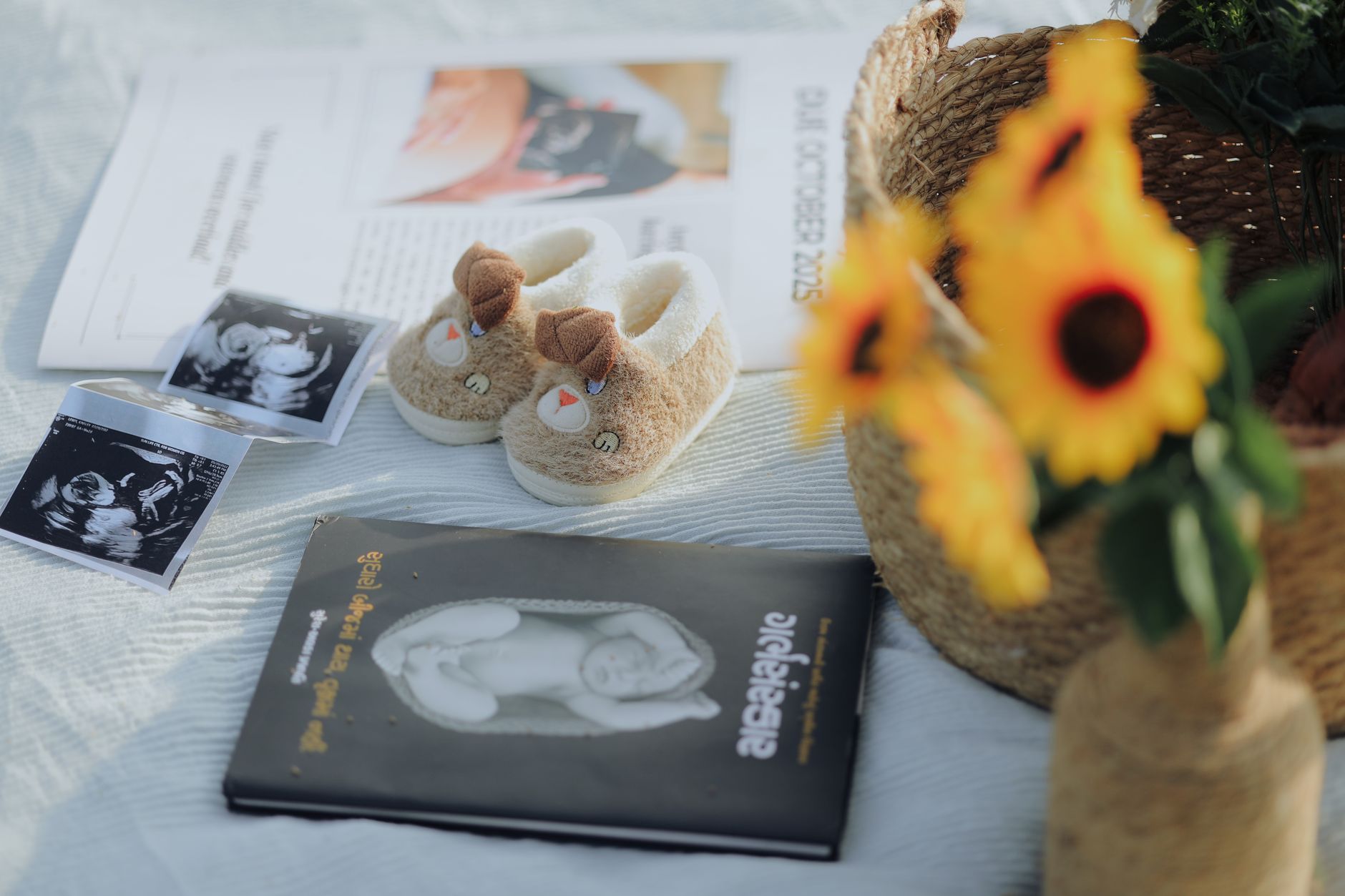
- Use the carousel feature: first photo of the ultrasound, second of a tiny shoe, third a heartfelt caption.
Sample caption ideas
- “Our adventure just got a new co‑pilot. 🌟 12 weeks and counting!”
- “Tiny kicks, big dreams. #BabyOnBoard”
- “We’re adding a new member to our tribe—arrival expected mid‑summer!”
Remember, the exact moment is yours. If you feel ready before 12 weeks, you can share a subtle hint (like a baby‑related emoji) while keeping the full announcement for later.
When should I tell my family about pregnancy before posting online?
Family dynamics vary widely. Some families expect to hear the news in person first, while others are comfortable with a digital announcement. A good rule of thumb is to inform immediate family—parents, siblings, and grandparents—before you broadcast to the wider world. This respects their emotional involvement and prevents the awkward “I saw it on Instagram before you told me” moment.
Steps to share with family first
- Call or video chat with each close family member individually.
- Choose a quiet setting; have a visual aid ready (ultrasound photo or test result).
- Explain your planned social media timeline so they know when to expect the public post.
What if you live far from family?
Sending a personalized card or a short video message can bridge the distance. Include a note that you’ll be sharing the news online soon, giving them a heads‑up.
Handling family members who prefer privacy
Ask them directly how they’d like to be involved. Some may request a private group announcement on Facebook, while others might prefer a private message.
Balancing family expectations with your own timing helps keep relationships smooth, especially when you later navigate the influx of comments on your public post.
The “ideal” number of weeks often circles back to the 12‑week threshold, but let’s break down the timeline by trimester for clarity.
Beyond the medical timeline, think about milestones you want to capture: the first ultrasound (usually around 12‑14 weeks), the first kick (often at 18‑20 weeks), and the baby shower. Align your announcement with the visual you’re most excited to share.
Should I wait until second trimester to post pregnancy announcement?
Yes, for most people. Waiting until the second trimester aligns with both medical safety and social expectations. The second trimester is often called the “golden period” because:
- Health stability: Morning sickness commonly eases, giving you more energy for photo shoots.
- Visible belly: A modest bump makes for a relatable and authentic image.
- Emotional readiness: You’ve had time to process the news yourself.
That said, there’s no universal rule. If you’re comfortable sharing earlier—perhaps after a positive home test and a confirmed ultrasound—you can. Just be prepared for a mixture of reactions, including well‑meaning advice about miscarriage risk.
Pros and cons of announcing pregnancy early on Facebook?
Facebook remains a go‑to platform for sharing life updates with extended family and friends. Early announcements (first trimester) have distinct advantages and drawbacks.
Pros
- Community support: Immediate encouragement can boost emotional well‑being.
- Planning help: Friends may start offering advice, recipes, or baby shower ideas.
- Visibility: Facebook’s algorithm often surfaces personal milestones, ensuring many see the news.
Cons
- Higher risk of negative comments: Some may question the timing or share outdated myths about miscarriage.
- Privacy concerns: A broader audience can mean unintended eyes (e.g., ex‑partners, distant relatives).
- Potential for premature sharing: If you’re still unsure about your pregnancy, an early post may feel premature later.
Weigh these factors against your personal comfort. If you decide to post early, consider using a “Friends Only” privacy setting to limit the audience.
How to create a pregnancy announcement post for social media?
Crafting a memorable announcement doesn’t have to be daunting. Below is a step‑by‑step guide that works across platforms (Instagram, Facebook, TikTok, and even a concise tweet).
Step 1: Choose your visual
- Ultrasound photo (most classic)
- Silhouette of a baby bump
- Creative flat‑lay (tiny shoes, onesies, or a “baby on board” sign)
- Video clip of a heartbeat (great for TikTok)
Step 2: Write a caption
Start with the news, add a personal touch, and finish with a call‑to‑action (e.g., “Can’t wait to meet you!”). Keep it concise for Twitter.
- Instagram: “We’re thrilled to announce that our family is growing! 🌱 Baby arriving spring 2025.”
- Facebook: “Big news! After months of excitement, we’re expecting a little one. Thank you for sharing this journey with us.”
- Twitter (tweet): “Tiny kicks, huge love. #BabyOnBoard”
- TikTok: Use a trending sound, overlay the ultrasound, and add text: “Our 12‑week update—yes, it’s real! 💕”
Step 3: Tag responsibly
Tag only your partner or close family if you want to keep the post intimate. Avoid tagging acquaintances who may not yet know the news.
Step 4: Set privacy controls
On Facebook and Instagram, you can create a custom “Close Friends” list or adjust the audience selector to “Friends” instead of “Public.” This helps manage who sees the post.
Prepare a few replies in advance (e.g., “Thank you! We’re so excited.”) to streamline interaction, especially if you anticipate a high volume of messages.
Twitter’s character limit forces brevity, but you can still convey excitement and personality.
- Headline news: “We’re expecting!”
- Emoji or hashtag: Use a baby‑related emoji and a hashtag like
#BabyOnBoard.
- Brief detail: “Due June 2025.”
- Link or photo: Attach the ultrasound image or a simple graphic.
“Big news: we’re adding a little one to our crew! 🎉 Due June 2025. #BabyOnBoard [ultrasound photo]”
Because Twitter is fast‑moving, consider pinning the tweet to your profile so new followers can see the announcement later.
Ultrasound photos are a favorite visual for announcements, but timing matters. Most providers schedule the first detailed scan around 12‑14 weeks, which aligns with the safe window for public sharing.
Guidelines for sharing
- Confirm with your provider: Some clinics have policies about sharing images, especially if they contain identifiable information.
- Wait for a clear image: Early scans (around 6‑8 weeks) may be blurry and can lead to disappointment.
- Protect privacy: Crop out any medical text that includes your name or clinic details.
- Instagram: Use the carousel feature to show the image alongside a caption.
- Facebook: Add a privacy filter (e.g., “Friends”) if you prefer a limited audience.
- Twitter: Keep the image small and add a concise caption.
- TikTok: Pair the ultrasound photo with a short video of you and your partner reacting.
In most cases, sharing after the 12‑week mark balances excitement with reduced risk of early miscarriage, and it gives you a clearer picture to celebrate.
Etiquette blends respect for your audience with self‑care. Here are best practices to keep the announcement joyful and inclusive.
General etiquette
- Give close family a heads‑up before posting publicly.
- Avoid tagging coworkers or acquaintances who aren’t yet in the loop.
- Consider cultural sensitivities—some cultures prefer private announcements.
- Be prepared for a range of reactions; respond with kindness, not defensiveness.
- Facebook: Use the “Friends” selector or create a “Custom” audience that excludes certain people.
- Instagram: Share to “Close Friends” Stories for a more intimate audience before a public post.
- TikTok: Set the video to “Friends” or “Private” until you’re comfortable with broader visibility.
- Twitter: While tweets are public by default, you can protect your account to approve followers.
Sample privacy configuration (Facebook)
- Click “Edit Audience” on the post composer.
- Select “Friends” and then “Edit” to exclude specific people.
- Save and post.
Adjusting these settings early—before you hit “Share”—helps you control who sees your news and prevents accidental leaks.
How to handle unexpected reactions or early disclosures?
Even with careful planning, surprises happen. A friend might mention the news before you post, or an early comment may feel invasive. Here’s how to navigate these moments.
If someone finds out before you post
- Stay calm. A simple, “We’re excited to share soon!” often suffices.
- Redirect the conversation if they press for details—“We’ll let everyone know when we’re ready.”
- Consider a private group announcement to bring them into the loop officially.
Negative reactions can range from well‑meaning but outdated advice (“Are you sure you want to have a baby now?”) to outright criticism. Here’s a three‑step response plan:
- Assess: Is the comment harmful or merely opinionated?
- Respond or hide: A brief, polite reply (“Thank you for your concern”) or hide/delete if it crosses a line.
- Set boundaries: Use platform tools to block or mute persistent negativity.
When to seek support
If the influx of comments feels overwhelming, reach out to a therapist or a trusted friend. Emotional well‑being matters as much as the physical journey.
Myth vs. fact
Myth: You must wait until the third trimester to share any pregnancy news online.
Fact: While many choose the second trimester for safety and visual reasons, sharing earlier is a personal choice and is medically acceptable if you’re comfortable.
Myth: Posting a pregnancy announcement guarantees privacy.
Fact: Even with strict privacy settings, screenshots can be shared. Always consider the possibility of your post being saved or reshared.
Myth: All family members expect to hear the news in person first.
Fact: Modern families often embrace digital announcements; the key is clear communication about your preferred order.
Key takeaways
- Waiting until 12‑14 weeks (second trimester) is the most common safe window for public announcements.
- Tell immediate family before you post to respect relationships and avoid awkward surprises.
- Tailor your announcement to each platform—Instagram visual, Facebook caption, TikTok video, Twitter brevity.
- Adjust privacy settings to control who sees your news and protect against unwanted sharing.
- Prepare a response plan for early disclosures and negative comments.
- Consult your OB‑GYN if you have medical concerns about sharing health information online.
Frequently asked questions
Most experts suggest waiting until the start of the second trimester (around 12‑14 weeks) for safety and visual clarity, but the exact timing depends on your comfort level and family dynamics.
Is it okay to share a pregnancy announcement in the first trimester?
Yes, it’s acceptable if you feel ready. Be aware that early announcements may attract more questions about miscarriage risk, so prepare for supportive and cautious responses.
How many weeks should you wait before posting an ultrasound photo?
Ultrasound images are typically clear and share‑ready after the 12‑week scan, aligning with the second‑trimester window for public announcements.
What should you include in a pregnancy announcement post?
Include a clear visual (ultrasound, bump photo, or creative flat‑lay), a concise caption announcing the news, an emoji or hashtag, and optionally a due date. Adjust privacy settings based on your audience.
Technically you can, but it’s generally courteous to inform immediate family beforehand to avoid hurt feelings or surprise.
Respond politely if the comment is benign, hide or delete if it’s invasive, and use platform tools to block persistent negativity. Seek support from friends or a therapist if it feels overwhelming.
When to see a doctor / specialist
If you’re uncertain about the timing of your announcement due to medical concerns—such as a high‑risk pregnancy, a history of miscarriage, or complications—consult your obstetrician or midwife. They can provide personalized guidance on when it’s safe to share health‑related updates publicly. Remember, this article offers general information and is not a substitute for professional medical advice.
References
- American College of Obstetricians and Gynecologists (ACOG). “Pregnancy‑related care guidance.” 2023.
- Centers for Disease Control and Prevention (CDC). “Pregnancy outcomes and miscarriage risk.” 2022.
- Harvard T.H. Chan School of Public Health. “Social media and health communication.” 2021.
- National Institute of Mental Health (NIMH). “Managing stress and online interactions during pregnancy.” 2023.
- American Academy of Dermatology (AAD). “Privacy considerations for sharing health images online.” 2022.