Generate custom social media announcement templates and perfect hashtag suggestions for your big news. Craft engaging posts for pregnancy, baby arrival, or any special life event.
By Shubhra Mishra — a mom of two who turned her own confusion during pregnancy into BumpBites, a global mission to make food choices clear, safe, and stress-free for every expecting mother. 💛
Check whether any food is safe during pregnancy with the BumpBites Food Safety Checker.
Quick take: Yes—you can create a polished pregnancy announcement with a free online generator, then fine‑tune it with your own photos, fonts, and hashtags. Pick the platform your friends use most, add a few thoughtful tags, and you’ll have a share‑ready post in minutes.
It’s 2 a.m., you’re curled up on the couch, and the tiny flutter of a new life has just become official. You reach for your phone, heart racing, and wonder: “How do I tell everyone without sounding cliché?” You’re not alone. Expecting parents across the globe wrestle with the same question—how to craft a social media announcement that feels personal, eye‑catching, and safe to share.
Below you’ll find a step‑by‑step guide that walks you through every part of the process: from choosing a template style, to using a free announcement generator, to picking the perfect hashtags for each platform. We’ll also share real‑world examples, platform‑specific tips, and a quick checklist so you can post with confidence.
Whether you’re a first‑time mom, a seasoned parent, or a supportive partner, this guide will help you turn a joyous moment into a shareable memory—without the stress of “what‑if‑I‑did‑the‑wrong‑thing.” Let’s get started.
Types of social media announcement templates
Templates give you a visual framework so you can focus on the personal touches that matter. Below are the most popular categories, each with a brief description and typical use case.
1. Classic photo‑grid
Three‑to‑four‑panel collages are a timeless favorite. The top row might show a sonogram, a baby shoe, and a handwritten note, while the bottom row features a candid selfie of you and your partner. This format works well on Instagram and Facebook, where users scroll quickly and love visual storytelling. The grid lets you juxtapose a medical image with a cozy home moment, creating a narrative arc that feels both intimate and celebratory.
2. Text‑overlay quote
A single‑image background (often a soft pastel or a nature scene) with a short, heartfelt message layered on top. Think “We’re expecting our first little miracle!” This style is versatile for Twitter, TikTok captions, and story posts where brevity is key. Because the text dominates the visual, you can convey emotion even if the photo quality isn’t perfect.
3. Animated reveal
Short videos or GIFs that start with a “Guess what?” prompt and transition into a glowing ultrasound image or a confetti explosion. These are perfect for TikTok, Instagram Reels, and Snapchat—platforms that reward motion and surprise. Adding a popular song or sound effect can boost algorithmic visibility, turning a personal milestone into a shareable trend.
4. Countdown or milestone graphic
Templates that incorporate a due‑date countdown, trimester milestones, or a “baby bump” progress bar. They’re popular on Pinterest and Facebook groups where followers enjoy tracking the pregnancy journey over weeks. A visual countdown can also serve as a gentle reminder for friends to send gifts or schedule baby‑shower planning calls.
5. Minimalist flat‑lay
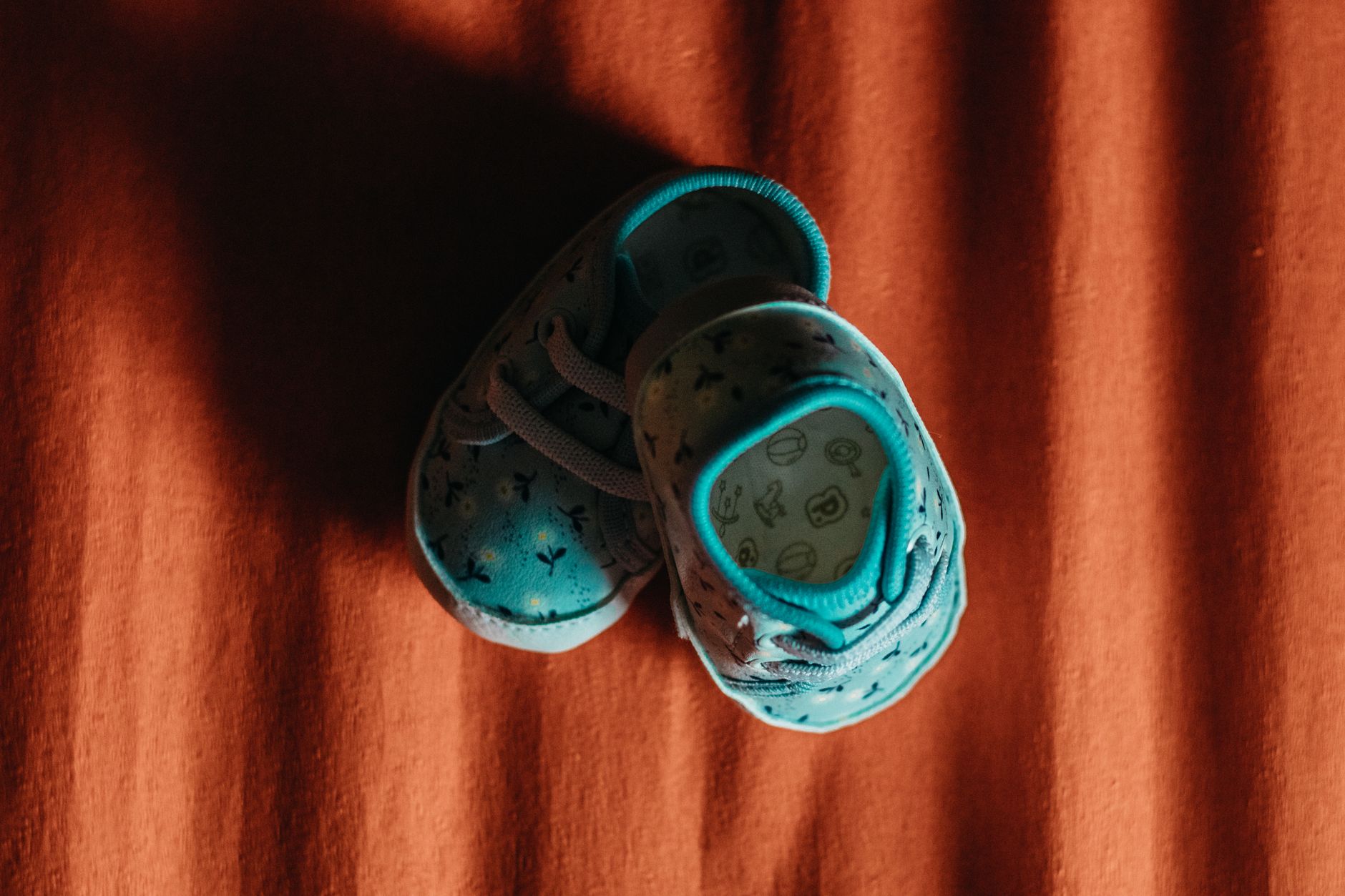
Clean, white‑background arrangements of baby items—booties, a onesie, a tiny blanket—photographed from above. This aesthetic appeals to modern‑design lovers on Instagram and lifestyle blogs. The simplicity of a flat‑lay lets the texture of each object speak, creating a calm, magazine‑ready look.
6. Custom illustration
Hand‑drawn or digitally illustrated characters representing you, your partner, and the new baby. These bespoke designs add a personal touch and tend to perform well on platforms where creativity shines, like TikTok and Instagram. Because the illustration is unique to you, it can become a recurring motif across future updates (e.g., “Week 12” or “First ultrasound”).
Choosing a style depends on the story you want to tell, the platform’s visual language, and how much time you have to design. Below we’ll show how a free generator can adapt any of these formats to your needs.
Flat‑lay templates let you showcase cherished items in a clean, Instagram‑ready layout.
How to use a social media announcement generator
Onlin
e generators take the guesswork out of design. Most offer a library of curated templates, drag‑and‑drop photo tools, and pre‑written copy suggestions. Follow these steps to create a polished post in under ten minutes.
Select a template style. Browse the gallery and pick the layout that matches the vibe you sketched in your mind—classic grid, text overlay, or animated reveal.
Upload your images. Add a sonogram picture, a maternity photo, or any props you’ve gathered. Most generators accept JPEG, PNG, or even short MP4 clips for motion.
Customize the text. Replace placeholder copy with your own announcement. Keep it short (one to two sentences) and authentic. If you’re stuck, the tool often suggests options like “Our adventure begins…” or “Bump‑approved news!”
Pick fonts and colors. Choose a readable font that reflects your style—elegant script for a romantic feel, or bold sans‑serif for a modern look. Stick to two or three colors to avoid visual chaos.
Add hashtags. Use the hashtag suggestions (see our dedicated section below) or type your own. Generators may suggest trending tags based on your wording.
Export and share. Download the finished image or video in the recommended resolution for your chosen platform (usually 1080×1080 px for Instagram, 1080×1920 px for stories). Then upload directly from your phone.
If you need a quick way to calculate the best posting window or estimate how many weeks you’re into your pregnancy, try our Pregnancy Announcement Generator. It’s a free, one‑click tool that gives you the due‑date countdown and a ready‑to‑copy caption.
Tips for creating a custom social media announcement template
Even with a generator, a little personal flair makes your post stand out. Below are practical design tips that keep your announcement both beautiful and authentic.
Choose a cohesive color palette
Pick 2–3 colors that reflect your nursery theme or season (e.g., soft mint for spring, warm amber for autumn).
Use a color‑contrast checker (available online) to ensure text is legible against your background.
Stick to the same palette across all your pregnancy posts to create a visual story that followers can recognize.
Mind the image quality
Use high‑resolution photos (at least 1080 px on the shortest side) to avoid pixelation.
Natural lighting is your friend—shoot near a window or outdoors during golden hour for a soft glow.
If you’re sharing an ultrasound image, double‑check that it’s clear and not overly compressed.
Keep copy concise and heartfelt
Lead with the news (“We’re expecting!”) then add a personal note (“Can’t wait to meet our little explorer”).
Avoid overly long paragraphs; social media users skim quickly.
Consider adding a short call‑to‑action like “Stay tuned for updates” to encourage engagement.
Incorporate meaningful symbols
Use icons like tiny footprints, hearts, or gender‑neutral baby symbols to add visual interest.
Include a subtle family element—perhaps a pet’s paw print or a partner’s hand holding yours.
Test before you post
Send the draft to a trusted friend for feedback on readability and emotional impact.
Preview the post on both mobile and desktop to ensure it looks good on all screens.
Check for any accidental personal data (e.g., location tags) that you might want to hide.
When you blend these design principles with a ready‑made template, you’ll produce a share‑worthy announcement that feels uniquely yours.
Popular social media platforms for announcing pregnancy
Each platform has its own audience expectations, format limits, and best‑practice cues. Below is a quick comparison to help you decide where to post first.
Platform
Ideal format
Typical audience
Key features for announcements
Instagram
Square photo or carousel; Reels for video
Friends, family, visual‑oriented followers
Filters, stickers, hashtags; Stories for temporary updates
Facebook
Landscape photo or video; Albums for multiple images
Extended family, older relatives, community groups
Longer captions, event creation, privacy controls
TikTok
15‑60 second video; trending sounds
Younger audiences, trend‑seekers
Music, effects, duets; high virality potential
Twitter
Image + 280‑character caption; short videos
Friends, professional contacts
Hashtag threads, real‑time conversation
Pinterest
Vertical pin (735 px wide)
Pregnancy planners, DIY enthusiasts
Long‑term discoverability, link to blog or registry
Most families start with Instagram or Facebook because those networks already host the people they want to reach. If you’re aiming for a viral moment, TikTok’s algorithm can amplify a creative video quickly. Consider posting on two platforms simultaneously—use the same image but tailor the caption length to each site’s norms.
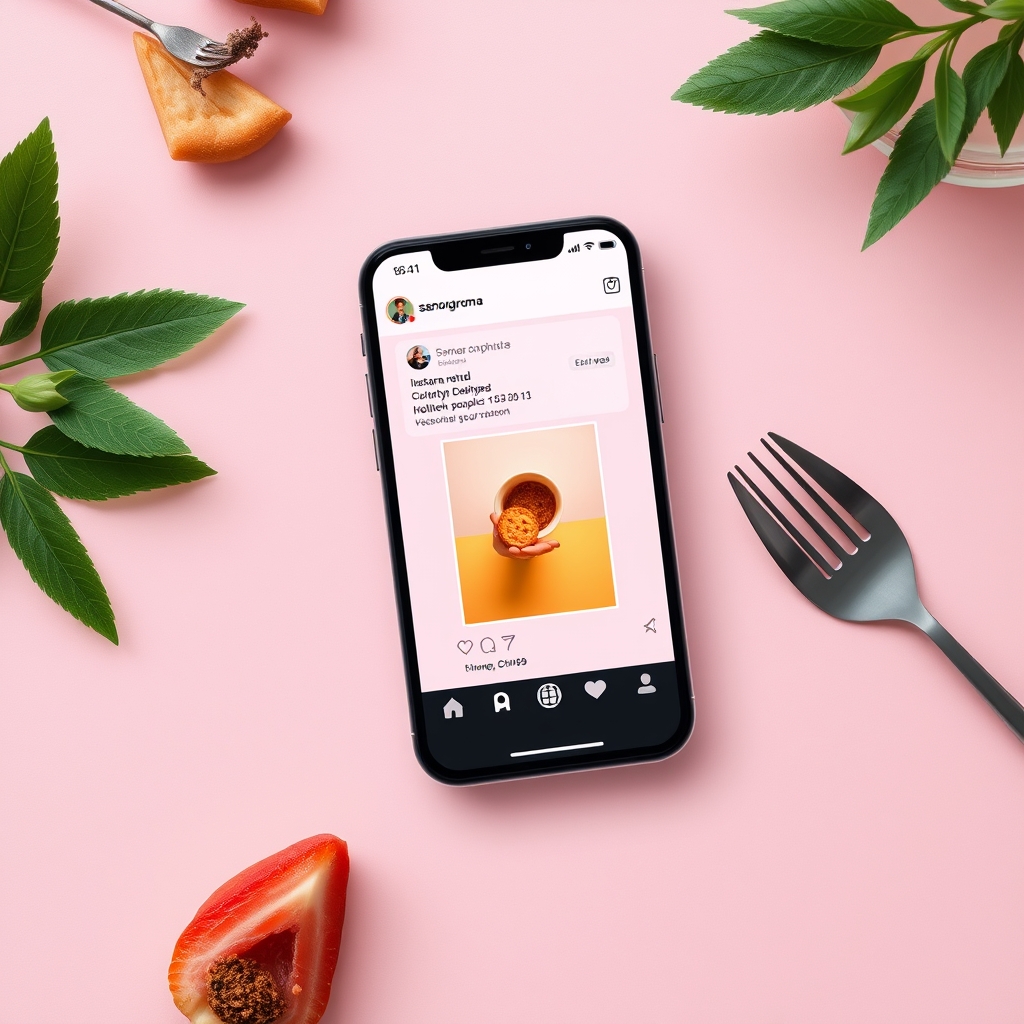
Instagram’s square format lets you blend photos and text seamlessly.
Hashtag suggestions for pregnancy announcements
Hashtags are the glue that connects your post to a wider community. Choose a mix of broad, niche, and personal tags to maximize reach while keeping relevance.
Broad tags (high volume)
#Pregnancy
#BabyOnBoard
#Bump
#Pregnant
#Expecting
Trimester‑specific tags (moderate volume)
#FirstTrimester
#SecondTrimester
#ThirdTrimester
#BabyBumpProgress
#DueDate
Creative or themed tags (lower volume, higher relevance)
#OurLittleAdventure
#TeamNoSleep
#LittleSprout
#StorkIsComing
#BumpToBaby
Personalized tags (unique to you)
Combine names, dates, or inside jokes for a one‑of‑a‑kind tag. Examples include #JacksonAndMaya2025 or #OperationCuddleBug. These become searchable keepsakes for your family.
When selecting hashtags, aim for 5–10 total. Too many can look spammy; too few may limit discoverability. Test a few on a private account first to see which generate the most engagement.
Examples of creative social media pregnancy announcements
Seeing what others have done can spark your own ideas. Below are three representative examples that illustrate different styles, platforms, and storytelling approaches.
Example 1: The “Pet Reveal” on Instagram
A mother‑to‑be photographed her golden retriever holding a sign that read “Guard Duty Starts June 2025.” The photo was taken in a sun‑lit garden, with a pastel‑colored filter and a subtle heart‑shaped frame. The caption read:
“Our family is growing by four paws and two tiny feet! 🐾💖 #Pregnant #Bump #DogMom #OurLittleAdventure”
This approach leverages a beloved pet to add humor and warmth, and the simple, clean aesthetic fits Instagram’s visual focus.
Example 2: The “Countdown Reel” on TikTok
The couple created a 15‑second reel that began with a ticking clock sound, then flipped through three photos: a negative pregnancy test, a sonogram, and a tiny pair of shoes. The final frame displayed a bold “Due July 2025” overlay with confetti animation.
Caption:
“We’re counting down the days! 🎉 #PregnancyAnnouncement #TikTokPregnant #FutureMom #DueDate”
Fast pacing and music made it shareable, and the video’s format aligns with TikTok’s algorithm that favors short, eye‑catching clips.
Example 3: The “Minimalist Flat‑Lay” on Pinterest
A soft‑white background held a single pastel blue onesie, a tiny bootie, and a handwritten note that read “Coming Soon – August 2025.” The pin’s description included a list of suggested hashtags and a link to a baby‑registry site.
This style is perfect for Pinterest users who love curated, aesthetically pleasing content that can be saved for future reference.
Each example shows how you can adapt a template to match your personality, the platform’s strengths, and the story you want to tell.
Best practices for sharing pregnancy news on social media
Beyond design, there are social etiquette and safety considerations that help your announcement land smoothly.
1. Respect privacy settings
Use platform‑specific privacy controls to limit who sees the post—especially on Facebook where you can create a custom audience.
Consider posting first to a close‑friend group before sharing publicly, to avoid overwhelming extended family with a surprise.
2. Timing matters
Many parents wait until the end of the first trimester (around 12 weeks) to reduce the risk of miscarriage anxiety. If you’re comfortable sharing earlier, be prepared for questions and support. ACOG’s 2023 guidance notes that the first‑trimester window is a common “comfort zone” for most families.
Post when you know key relatives are online—weekends or evenings often see higher engagement.
3. Provide a clear call‑to‑action
Invite friends to comment with congratulations, share their own stories, or ask for advice.
Include a link to a baby‑registry, a prenatal class sign‑up, or a simple “Stay tuned for updates” page.
4. Avoid oversharing medical details
Keep the announcement focused on the happy news; save health specifics (e.g., due‑date complications) for private conversations.
Remember that once posted, content can be saved and reshared beyond your control.
5. Prepare for varied reactions
Not everyone will react with the same excitement. Some may need time to process, especially if they’re dealing with infertility or loss.
Have a few supportive comments ready to “pin” at the top of the comment section, creating a positive environment.
By following these guidelines, you’ll protect your emotional well‑being while still celebrating the milestone with your online community.
From our medical team: Sharing your pregnancy news online is a personal choice. If you experience strong emotions—whether joy or anxiety—consider speaking with a trusted healthcare provider or counselor. Digital support can be uplifting, but it’s not a substitute for professional care.
Managing privacy and digital footprints
Every post you make becomes part of a permanent digital record, even if you delete it later. The NHS Digital guidance on online privacy recommends reviewing platform settings before you publish, especially regarding location tags and facial recognition data. Turn off geotagging on your phone, and double‑check that the image EXIF data doesn’t contain hidden coordinates.
For added peace of mind, keep a private backup of the original files on a secure cloud service. If you later decide to remove the announcement, most platforms allow you to delete the post, but copies may still exist in followers’ feeds or on third‑party aggregators. A quick audit—searching your name plus “pregnancy” on a search engine—can reveal any stray references you might want to request removal for.
Accessibility and inclusive design for announcements
Not all of your friends will experience your post the same way. Adding alt‑text to images (which you can do on Instagram and Facebook) ensures screen‑reader users hear a description of the visual content. Use high‑contrast colors and legible fonts—WCAG 2.1 recommends a contrast ratio of at least 4.5:1 for body text.
Consider providing a caption or transcript for animated videos, especially on TikTok where sound is often the first element. A short written description (“Ultrasound video with confetti overlay”) can make the announcement feel welcoming to neurodiverse followers and those with hearing impairments.
Linking your announcement to a baby registry or birth‑plan website
Many expectant families use a dedicated website to collect gift ideas, share prenatal class dates, or outline their birth‑plan preferences. Embedding a short link in the caption (or a “Link in bio” note) directs curious friends to a central hub rather than scattering information across multiple posts.
Platforms like Pinterest naturally support clickable pins, while Instagram requires a bio link. Services such as Zola, MyRegistry, or a simple Squarespace page can host both the registry and a printable announcement card. This approach not only streamlines gift‑giving but also gives you a place to update followers with milestones (e.g., “We’re now 24 weeks!”) without creating a new post each time.
Legal considerations for pregnancy announcements
Sharing personal health information online touches on privacy laws that differ by region. In the European Union, the General Data Protection Regulation (GDPR) treats any health‑related data—including ultrasound images—as “special category” data that requires explicit consent before public disclosure. If you reside in or share content with EU‑based followers, you should obtain clear permission from any co‑parents and consider limiting the audience to “Friends only.”
In the United States, the Health Insurance Portability and Accountability Act (HIPAA) protects medical records held by healthcare providers, but it does not restrict you from sharing your own images. However, it’s wise to avoid including identifying details (like clinic names or provider signatures) that could inadvertently expose protected health information. The U.S. Department of Health & Human Services advises that personal sharing is permissible so long as you do not disclose third‑party PHI without consent.
When in doubt, review the privacy policy of the platform you’re using and consider a brief disclaimer in your post (“Sharing our journey with love—please respect our privacy”). This small step helps you stay compliant while keeping the focus on celebration.
Cultural etiquette and traditions around pregnancy announcements
Different cultures have long‑standing customs for when and how to share pregnancy news. In many South Asian families, it’s common to wait until the second trimester before announcing, both out of respect for tradition and to reduce anxiety about early loss. Conversely, some Western circles embrace “early announcements” as a way to rally support and gather advice.
Understanding your own family’s expectations can prevent unintended hurt feelings. If you suspect relatives may prefer a private, in‑person reveal, consider sending a personal message or arranging a small gathering before you post publicly. This blend of modern sharing and cultural sensitivity honors both your excitement and the values of those closest to you.
Sustainability tips for eco‑friendly announcements
Even a digital announcement can have an environmental footprint—especially if you upload large video files or print physical cards later. Opt for compressed image formats (JPEG 80 % quality) to reduce file size without sacrificing visual appeal. When creating a printable version, choose recycled paper and soy‑based inks, which are widely available at office supply stores.
Some creators also offset their digital carbon impact by supporting reforestation projects. A quick search for “carbon offset calculator for media uploads” can guide you to reputable nonprofit partners. Small choices like these let your celebration align with the sustainable future you’ll be welcoming.
Myth: You need a professional photographer to create a beautiful pregnancy announcement.
Fact: A smartphone camera, natural lighting, and a simple template can produce stunning results. Many viral announcements were made with just a phone and a free online generator.
Myth: Posting your pregnancy news early increases the risk of unwanted attention or negative comments.
Fact: While early sharing can attract curiosity, setting clear privacy settings and choosing a supportive audience mitigates most concerns. The emotional boost from early support often outweighs the small risk of negative remarks.
Myth: Hashtags are only for “influencers” and won’t help an ordinary family.
Fact: Hashtags connect your post to broader communities (e.g., #Pregnant2025). Even a modest following can gain extra visibility and find support from other expecting parents.
Key takeaways
Pick a template style that matches your personality and the platform you’ll use most.
Free announcement generators let you create polished posts in minutes—no design degree required.
Tailor colors, fonts, and images for a cohesive look; keep copy short and heartfelt.
Use a mix of broad, trimester‑specific, and personalized hashtags for optimal reach.
Set privacy controls, post after the first trimester if you prefer, and invite engagement with a clear call‑to‑action.
Remember that sharing online is optional; prioritize your comfort and mental health above all.
Frequently asked questions
What are some creative ways to announce pregnancy on social media?
Creative announcements range from pet‑held signs and animated countdown videos to minimalist flat‑lay collages. Choose a format that fits your style—whether it’s a heartfelt photo‑grid on Instagram or a snappy TikTok reel with trending music.
How do I create a social media announcement template?
Start by selecting a template style (grid, text overlay, animation) from a free generator, upload your photos, customize the text, choose fonts and colors, add hashtags, and export the final image in the recommended dimensions for your platform.
What are the best social media platforms for announcing pregnancy?
Instagram and Facebook are the most popular for family and friends; TikTok offers high virality for short videos; Twitter works for quick updates; Pinterest is great for long‑term discoverability and linking to registries.
Can I use a social media announcement generator for free?
Yes—many tools offer free basic templates, drag‑and‑drop editing, and hashtag suggestions at no cost. Premium upgrades may provide additional fonts or animation effects, but a polished announcement is achievable without paying.
How do I choose the right hashtags for my pregnancy announcement?
Combine three categories: broad tags (#Pregnancy), trimester‑specific tags (#FirstTrimester), and personalized tags (e.g., #JacksonAndMaya2025). Limit yourself to 5–10 hashtags to stay clear and avoid a spammy appearance.
What are some tips for making a viral social media pregnancy announcement?
Focus on eye‑catching visuals, a concise emotional hook, and trending music or sounds (especially for TikTok). Use a strong opening frame, keep the video under 60 seconds, and encourage viewers to share or duet the post.
What should I do if I want to delete my pregnancy announcement later?
First, delete the post from the platform itself. Then, search your name plus “pregnancy” on a search engine to locate any cached copies. If you find residual images or captions on third‑party sites, follow their removal request process—many platforms have a “right to be forgotten” policy, and the UK’s ICO guidance outlines how to request deletions.
How can I ensure my announcement is accessible for friends with visual impairments?
Add descriptive alt‑text to every image, use high‑contrast colors, and keep font sizes readable. For videos, include a brief on‑screen caption or a written transcript in the post description. These steps align with the NHS’s accessibility recommendations and help all followers enjoy your news.
Is it safe to share my ultrasound image publicly?
Sharing an ultrasound image is generally safe, but consider privacy implications. Remove any clinic identifiers, and be aware that the image could be saved or reused without your consent. If you have concerns, limit the audience to close friends or share a low‑resolution version.
How can I protect my unborn child’s digital identity?
Limit personal details like full name, exact birth date, and location in early posts. Use a nickname or initials until after birth, and regularly review privacy settings. This approach reduces the risk of unwanted data mining while still celebrating your news.
When to call your doctor
If you experience any of the following, contact your obstetric provider right away: heavy bleeding, severe abdominal pain, sudden swelling of hands or face, high fever, or a change in fetal movement after you’ve felt kicks. This article is for informational purposes only and does not replace personalized medical advice.
References
American College of Obstetricians and Gynecologists (ACOG). “Patient Education: Pregnancy Announcement and Social Media Use.” 2023.
Centers for Disease Control and Prevention (CDC). “Mental Health and Pregnancy.” Updated 2022.
National Institute for Health and Care Excellence (NICE). “Digital health guidance for pregnancy.” 2021.
Mayo Clinic. “How to share pregnancy news with family and friends.” 2022.
World Health Organization (WHO). “Guidelines on digital communication for maternal health.” 2020.
National Health Service (NHS) Digital. “Online privacy and data protection for health‑related content.” 2022.
U.S. Food and Drug Administration (FDA). “Regulatory considerations for health‑related mobile applications.” 2021.
European Union. “General Data Protection Regulation (GDPR).” 2018.
U.S. Department of Health & Human Services. “HIPAA Privacy Rule.” 2020.
Information Commissioner's Office (ICO). “Right to be forgotten: guidance for individuals.” 2022.
Not sure about the label on Social Media Announcement Templates Generator Hashtag Suggestions products?
Snap the ingredients list and SafeFilter checks every ingredient for your stage — only 3 free scans this month, then you're locked until reset. Unlimited from $7/mo or $50/yr.
When Shubhra Mishra was expecting her first child in 2016, she was overwhelmed by conflicting food advice — one site said yes, another said never. By the time her second baby arrived in 2019, she realized millions of mothers face the same confusion.
That sparked a five-year journey through clinical nutrition papers, cultural diets, and expert conversations — all leading to BumpBites: a calm, compassionate space where science meets everyday motherhood.
Her long-term vision is to build a global community ensuring safe, supported, and free deliveriesfor every mother — because no woman should face pregnancy alone or uninformed. 🌿
🌍 Stand with mothers, shape safer guidance
Join a small circle of experts who review BumpBites articles so expecting parents everywhere can decide with confidence.