

Quick take: A bullet journal can be a lifeline for busy moms—if you keep it simple. You don’t need artistic skills or hours of free time. Start with just 5 minutes a day, focus on what actually helps you (meal plans, pediatrician visits, sleep logs), and let the rest go. This guide gives you real mom-tested layouts, step-by-step setup, and honest tips for staying consistent even when you’re exhausted. No perfection required.
You’re standing in the pediatrician’s waiting room, baby on your hip, toddler tugging your sleeve, and the vaccination schedule card is buried somewhere in the diaper bag. Again. Your phone calendar is a mess of overlapping appointments, your grocery list is scribbled on three different sticky notes, and you can’t remember the last time you drank a full cup of coffee while it was still hot. If this sounds familiar, you’re not alone.
Enter the bullet journal—a simple, flexible system that can help you track everything from meal planning to pediatrician visits, all in one notebook. The best part? It works whether you have 5 minutes or 20, and it doesn’t require artistic talent (despite what Pinterest might suggest). In this guide, we’ll walk you through exactly how to set up a bullet journal for busy moms, with layouts tailored to pregnancy, newborns, and toddlers. We’ll also share real mom-tested tips for staying consistent, even when you’re running on fumes, and how to use your bullet journal for self-care and mental health. No fluff, no guilt—just practical, doable strategies for moms who need a little more order in the chaos.
How to Start a Bullet Journal for Busy Moms with No Time
You don’t need a fancy notebook or hours of free time to start a bullet journal. In fact, the beauty of this system is that it’s designed to be fast and flexible. Here’s how to set one up in under 10 minutes—even if you’re holding a fussy baby in one arm.
Step 1: Grab a Notebook (Any Notebook)
Forget about finding the “perfect” journal. A simple spiral notebook, a composition book, or even a dollar-store notepad will work. The key is to pick something you can toss in your diaper bag or keep on your nightstand. If you want something sturdier, look for a notebook with numbered pages (like a Leuchtturm1917 or Moleskine), but don’t stress if it’s not “aesthetic.” Function over form, always.
Step 2: Create an Index (Your Secret Weapon)
Flip to the first page and write “Index” at the top. This is where you’ll list the page numbers of your key collections (sections) so you can find them quickly. For example:
- Page 2: Future Log (for big-picture planning)
- Page 4: Monthly Log (for appointments and milestones)
- Page 6: Weekly Spread (for daily tasks and meal planning)
As you add new collections (like a sleep log or pediatrician visit tracker), jot them down in the index. This keeps your bullet journal from turning into a disorganized mess.
Step 3: Set Up a Future Log
Turn to the next blank spread (two facing pages) and divide it into 6–12 sections, one for each month. Label them with the month names. This is your future log, where you’ll jot down big-picture events like:
- Pediatrician appointments
- Birthdays or holidays
- Work deadlines (if you’re balancing career and mom life)
- Pregnancy milestones (e.g., “20-week ultrasound”)
Think of this as your “brain dump” for anything that’s more than a month away. When you’re ready to plan a specific month, you’ll transfer these events to your monthly log.
Step 4: Create a Monthly Log
Turn to the next blank spread and write the month at the top. On the left page, list the dates of the month (1, 2, 3, etc.) down the side. Next to each date, jot down any appointments, milestones, or tasks for that day. On the right page, list your goals or priorities for the month (e.g., “schedule newborn photos,” “meal prep Sundays”).
For example:
| Monthly Log: January |
|---|
|
Left Page (Dates & Events) 1 – New Year’s Day (no plans) 2 – Pediatrician checkup (9 AM) 5 – Toddler’s first day back at daycare 10 – OB/GYN appointment (2 PM) 15 – Grocery delivery 20 – Friend’s baby shower |
|
Right Page (Goals & Priorities) - Schedule newborn photos - Try 3 new 30-minute dinner recipes - Call pediatrician about sleep regression - Set up automatic grocery delivery |
Step 5: Design a Weekly Spread
Turn to the next blank spread and divide it into 7 sections, one for each day of the week. Label them with the day names (Monday, Tuesday, etc.). Under each day, leave space for:
- Appointments (e.g., “10 AM: Lactation consultant”)
- Tasks (e.g., “Call daycare about sick policy”)
- Meal ideas (e.g., “Taco Tuesday”)
- Notes (e.g., “Baby had 3 wet diapers today”)
Keep it simple. You don’t need to fill every line—just write down what actually matters for that day. If you’re short on time, use symbols to save space:
- • Task
- ○ Event
- – Note
- ✓ Completed
Step 6: Add Key Collections (Sections Every Mom Needs)
Now that you’ve got the basics, add a few collections tailored to mom life. These are the sections that will save you time and stress. Pick 2–3 to start, and add more as you go. Here are some ideas:
- Meal Planning: A list of easy crockpot meals or 30-minute dinners, plus a grocery list. (Pro tip: Keep a running list of meals your toddler actually eats—no more dinner-time meltdowns!)
- Sleep Log: Track your baby’s naps and nighttime sleep. Over time, you’ll spot patterns (e.g., “Baby naps best after 10 AM walk”).
- Pediatrician Visits: A list of upcoming appointments, vaccination dates, and questions to ask the doctor. No more last-minute panic!
- Self-Care Tracker: A simple checklist for small acts of self-care (e.g., “Drank water,” “5-minute stretch,” “Called a friend”).
- Grocery List: A running list of staples so you’re never staring blankly at the fridge at 5 PM.
Flip to a new page for each collection, label it at the top, and add it to your index. That’s it—you’re ready to start!
Best Bullet Journal Layouts for Tracking Pregnancy and Baby Milestones
Pregnancy Tracker
Use this spread to track your weekly symptoms, doctor’s appointments, and baby’s growth. Divide a two-page spread into columns for:
- Week of pregnancy (e.g., “Week 12”)
- Baby’s size (e.g., “Size of a lime”)
- Symptoms (e.g., “Nausea, fatigue, sore breasts”)
- Appointments (e.g., “12-week ultrasound”)
- Notes (e.g., “Started prenatal yoga”)
Example:
| Pregnancy Tracker |
|---|
|
Week | Baby’s Size | Symptoms | Appointments | Notes 12 | Lime | Nausea, fatigue | 12-week ultrasound | Started prenatal yoga 13 | Pea pod | Less nausea, more energy | – | Bought maternity jeans 14 | Lemon | Heartburn, mood swings | OB/GYN checkup | Told family the news |
Baby’s First Year Milestones
Create a spread to track your baby’s milestones, like their first smile, first word, or first steps. You can use a simple list or a visual timeline. For example:
- Month 1: Lifts head briefly during tummy time
- Month 2: Smiles responsively
- Month 3: Holds head steady
- Month 4: Rolls from tummy to back
- Month 6: Sits without support
Add photos or small sketches if you like, but don’t stress about making it “pretty.” The goal is to capture the memories, not create a scrapbook.
Vaccination Tracker
Pediatrician visits can feel like a blur, especially in the first year. Use a simple table to track your baby’s vaccinations, including:
- Vaccine name
- Date given
- Next dose due
- Side effects (if any)
Example:
| Vaccination Tracker |
|---|
|
Vaccine | Date Given | Next Dose | Side Effects Hepatitis B | 01/15/2024 | – | Mild fussiness DTaP | 02/20/2024 | 04/20/2024 | Low-grade fever Hib | 02/20/2024 | 04/20/2024 | None Polio | 02/20/2024 | 04/20/2024 | None |
Feeding Log
If you’re breastfeeding, pumping, or formula-feeding, a feeding log can help you track how much your baby is eating and spot patterns. Divide a page into columns for:
- Time
- Breast (left/right) or bottle (oz)
- Duration (for breastfeeding)
- Notes (e.g., “Baby seemed fussy”)
Example:
| Feeding Log |
|---|
|
Time | Breast/Bottle | Duration/Oz | Notes 6:30 AM | Left breast | 15 min | Baby fell asleep 8:00 AM | Bottle | 3 oz | Seemed hungry 10:30 AM | Right breast | 10 min | Short feed |
Postpartum Recovery Tracker
Your body goes through a lot during pregnancy and childbirth. Use a postpartum tracker to monitor your recovery, including:
- Bleeding (e.g., “Light spotting”)
- Pain levels (e.g., “Perineal soreness”)
- Medications (e.g., “Took ibuprofen at 2 PM”)
- Emotional check-ins (e.g., “Felt overwhelmed today”)
Example:
| Postpartum Recovery Tracker |
|---|
|
Date | Bleeding | Pain Level (1-10) | Medications | Emotional Check-In 01/20 | Light spotting | 3 | Ibuprofen at 2 PM | Felt tearful 01/21 | None | 2 | – | Felt more like myself 01/22 | Light spotting | 4 | Ibuprofen at 10 AM | Frustrated with slow recovery |
Simple Bullet Journal Ideas for Moms with Toddlers and Newborns
Life with a toddler and a newborn is a special kind of chaos. Your bullet journal can help you stay organized, but it needs to be simple and fast. Here are some no-fuss ideas for tracking everything from nap schedules to grocery lists.
Toddler + Newborn Schedule
Use a weekly spread to map out your toddler’s and newborn’s schedules side by side. This helps you spot overlaps (e.g., “Toddler’s nap time is when the baby is most fussy”) and plan your day. Divide the page into columns for:
- Time
- Toddler’s activities (e.g., “Snack,” “Park time”)
- Newborn’s activities (e.g., “Feeding,” “Nap”)
- Your tasks (e.g., “Meal prep,” “Laundry”)
Example:
| Weekly Schedule |
|---|
|
Time | Toddler | Newborn | You 7:00 AM | Wake up, breakfast | Wake up, feeding | Coffee! 8:00 AM | Playtime | Nap | Shower 9:00 AM | Snack | Feeding | Start crockpot meal 10:00 AM | Park time | Stroller walk | Listen to podcast |
Nap Tracker
Nap schedules can feel like a mystery, especially with a newborn. Use a simple table to track when your toddler and baby nap, how long they sleep, and any notes (e.g., “Woke up crying”). Over time, you’ll spot patterns and adjust your routine accordingly.
Example:
| Nap Tracker |
|---|
|
Date | Toddler Nap 1 | Toddler Nap 2 | Newborn Naps | Notes 01/20 | 10:00 AM – 11:30 AM | 2:00 PM – 3:30 PM | 9:00 AM, 12:00 PM, 3:00 PM | Toddler woke up early 01/21 | 9:30 AM – 11:00 AM | 1:30 PM – 3:00 PM | 8:30 AM, 11:30 AM, 2:30 PM | Baby fussy in afternoon |
Grocery List + Meal Plan
Meal planning with a toddler and a newborn is a challenge, but a bullet journal can help. Dedicate a page to a running grocery list and another to a simple meal plan. For the meal plan, focus on quick, healthy meals that your toddler will actually eat. Example:
| Meal Plan + Grocery List |
|---|
|
Meal Plan Monday: Tacos (ground turkey, tortillas, lettuce, cheese) Tuesday: Crockpot chicken and rice Wednesday: Pasta with marinara and veggies Thursday: Breakfast-for-dinner (eggs, toast, fruit) Friday: Leftovers or takeout Grocery List - Ground turkey - Tortillas - Lettuce - Cheese - Chicken breasts - Rice - Pasta - Marinara sauce - Eggs - Bread |
Toddler Activity Ideas
Coming up with activities for a toddler can feel exhausting, especially when you’re also caring for a newborn. Keep a running list of simple, low-prep activities in your bullet journal. Examples:
- Sensory bin (rice + scoops)
- Sticker collage
- Sidewalk chalk
- Bubble blowing
- Storytime at the library
- Park visit
- Dance party (put on music and let them go wild)
When you’re stuck for ideas, flip to this page and pick something easy.
Newborn Essentials Checklist
Newborns require a lot of stuff, and it’s easy to forget something when you’re heading out the door. Keep a checklist of newborn essentials in your bullet journal so you can quickly scan it before leaving the house. Example:
- Diapers
- Wipes
- Change of clothes (for baby)
- Burp cloths
- Bottles + formula (if formula-feeding)
- Pacifier
- Blanket
- Diaper cream
- Hand sanitizer
- Snacks + water (for you!)
How to Use a Bullet Journal to Organize Mom Life and Reduce Stress
A bullet journal isn’t just about tracking appointments—it’s a tool for reducing stress and creating order in the chaos of mom life. Here’s how to use it to streamline your day, prioritize what matters, and even carve out time for yourself.
Prioritize Your Top 3 Tasks
Every morning (or the night before), write down the three most important tasks you need to accomplish that day. These should be things that will make the biggest difference in your day, like:
- “Call pediatrician about baby’s rash”
- “Meal prep lunches for the week”
- “Take 10 minutes for myself”
Focus on these tasks first, and let the rest go if you run out of time. This prevents you from feeling overwhelmed by a never-ending to-do list.
Use Time Blocking
Time blocking is a simple way to structure your day so you’re not constantly reacting to whatever comes up. Divide your day into blocks of time and assign a task or activity to each block. For example:
- 7:00 AM – 8:00 AM: Morning routine (coffee, breakfast, quick tidy)
- 8:00 AM – 9:00 AM: Toddler playtime
- 9:00 AM – 10:00 AM: Newborn feeding + nap
- 10:00 AM – 11:00 AM: Errands or grocery shopping
- 11:00 AM – 12:00 PM: Meal prep
- 12:00 PM – 1:00 PM: Lunch + downtime
Be realistic about how long tasks take, and leave buffer time between blocks for transitions (or meltdowns—yours or theirs!).
Track Habits for Self-Care
Self-care isn’t just about bubble baths and spa days—it’s about the small, daily habits that keep you sane. Use a habit tracker in your bullet journal to monitor things like:
- Drinking enough water
- Taking your vitamins
- Getting outside for fresh air
- Practicing deep breathing or meditation
- Connecting with a friend
Example:
| Habit Tracker |
|---|
|
Habit | Mon | Tue | Wed | Thu | Fri | Sat | Sun Drank water | ✓ | ✓ | | ✓ | ✓ | ✓ | Took vitamins | ✓ | | ✓ | ✓ | | ✓ | ✓ Got outside | | ✓ | ✓ | | ✓ | ✓ | ✓ 5-minute stretch | ✓ | | | ✓ | | ✓ | Called a friend | | | ✓ | | | | ✓ |
Seeing your progress visually can be motivating, and it’s a great way to spot patterns (e.g., “I always forget to drink water on Mondays”).
Create a “Brain Dump” Page
Mom life comes with a constant stream of thoughts, worries, and to-dos. Keep a “brain dump” page in your bullet journal where you can jot down anything that’s on your mind—no matter how big or small. Examples:
- “Call the plumber about the leaky sink”
- “Research preschools for next year”
- “Text Sarah about playdate”
- “Order more diapers”
- “Schedule my own doctor’s appointment”
Once a week, review this page and transfer any tasks to your monthly or weekly log. This keeps your mind clear and ensures nothing slips through the cracks.
Use Your Bullet Journal for Emotional Check-Ins
Motherhood is an emotional rollercoaster, and it’s important to check in with yourself regularly. Use your bullet journal to track your mood, energy levels, and any stressors. You can do this with a simple mood tracker or by jotting down a few sentences at the end of the day. Example:
| Mood Tracker |
|---|
|
Date | Mood (1-10) | Energy Level (1-10) | Stressors | Notes 01/20 | 6 | 5 | Baby fussy, toddler meltdown | Felt overwhelmed but got through it 01/21 | 8 | 7 | Smooth day, baby napped well | Felt more like myself 01/22 | 4 | 3 | Sick toddler, sleep deprivation | Need to ask for help |
If you’re feeling stuck, try morning pages—a stream-of-consciousness writing exercise that can help you process your emotions and clear your mind.
Plan for “Me Time”
It’s easy to put yourself last when you’re a mom, but carving out even 10 minutes for yourself can make a big difference. Use your bullet journal to schedule “me time” just like you would any other appointment. Examples:
- “Read for 10 minutes before bed”
- “Take a walk alone while baby naps”
- “Call a friend for a quick chat”
- “Try a 5-minute meditation”
Treat this time as non-negotiable. You wouldn’t skip your baby’s doctor’s appointment, so don’t skip your own self-care.
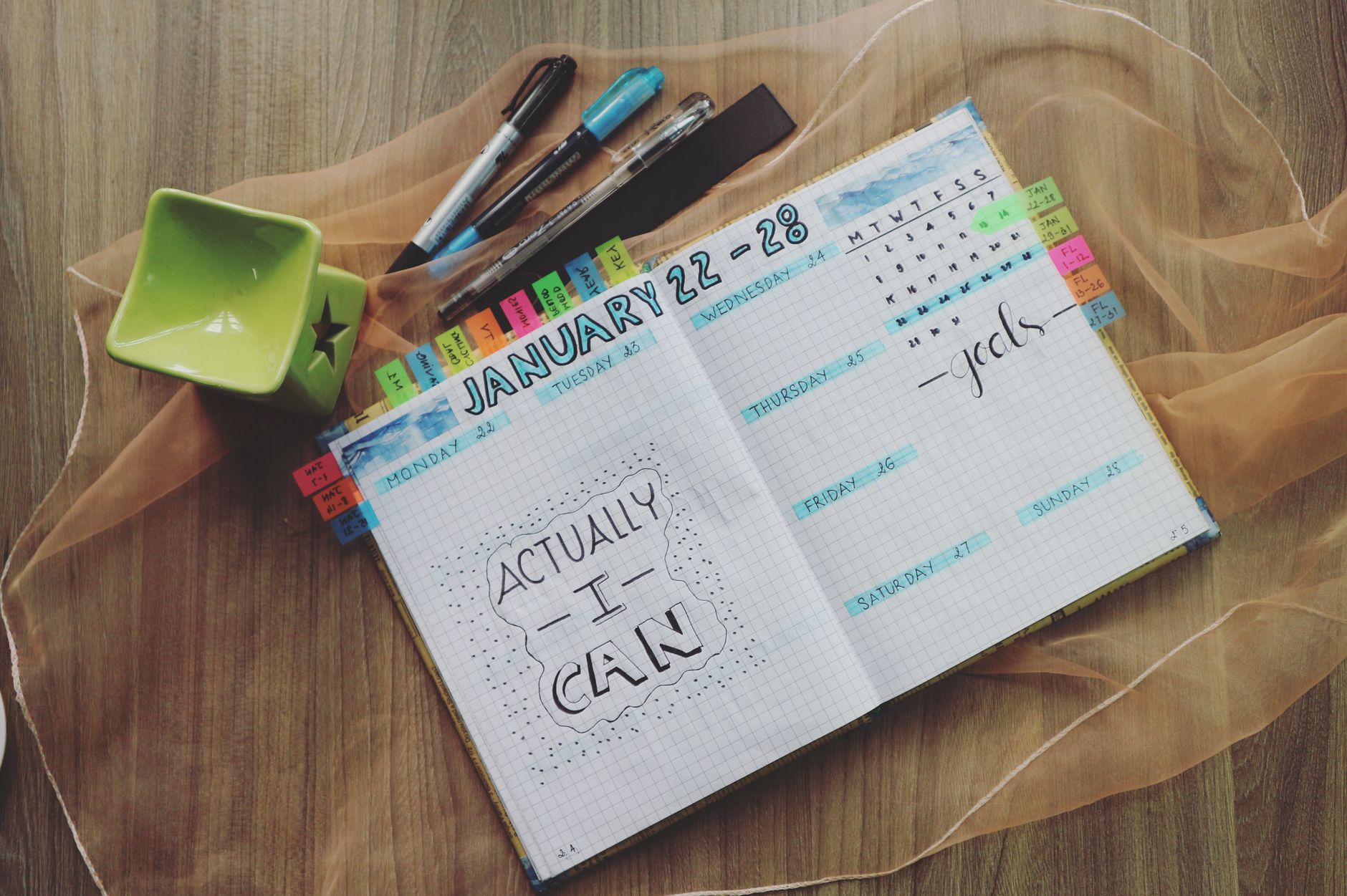
Bullet Journal vs. Digital Planner: Which Is Better for Busy Moms?
You’ve probably heard the debate: bullet journal or digital planner? The truth is, both have pros and cons, and the “best” option depends on your lifestyle, preferences, and how you like to organize your time. Let’s break down the differences so you can decide what works for you.
Bullet Journal: Pros and Cons
| Pros | Cons |
|---|---|
|
|
Digital Planner: Pros and Cons
| Pros | Cons |
|---|---|
|
|
Which One Should You Choose?
Here’s a quick guide to help you decide:
- Choose a bullet journal if:
- You prefer writing by hand and enjoy the tactile experience.
- You want a flexible, customizable system that grows with you.
- You’re looking for a screen-free way to organize your life.
- You enjoy doodling, coloring, or using stickers (even if you’re not “artistic”).
- Choose a digital planner if:
- You’re always on your phone or computer and want something that syncs across devices.
- You need to share your calendar or tasks with others (e.g., your partner or caregiver).
- You want automated reminders and notifications.
- You prefer typing over writing by hand.
Of course, you don’t have to choose just one! Many moms use a hybrid approach, like keeping a bullet journal for personal tracking and a digital planner for shared family appointments. Experiment to see what works best for you.
Minimalist Bullet Journal Spreads for Overwhelmed Moms
If the idea of designing elaborate bullet journal spreads makes you want to crawl back into bed, you’re not alone. The good news? You don’t need fancy layouts or artistic skills to make a bullet journal work for you. In fact, the simpler your spreads, the more likely you are to stick with them. Here are some minimalist bullet journal ideas for overwhelmed moms.
One-Page Weekly Spread
Instead of dedicating a full two-page spread to your week

