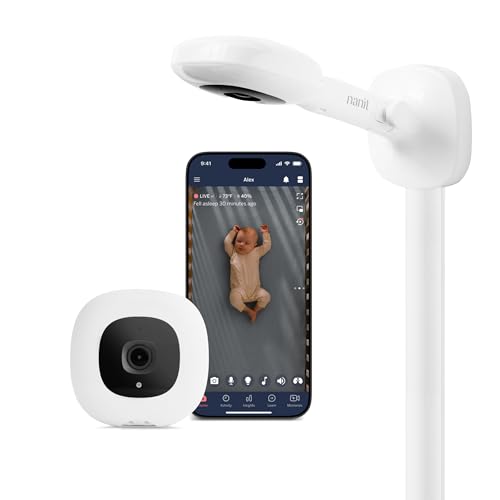
Quick take: Choosing the right no-WiFi baby monitor depends on your specific needs and budget.
It’s 3:17am, the baby’s monitor is buzzing with static, and the app on my phone won’t load because the WiFi’s dropped again. That’s how I learned the hard way that not all baby monitors are created equal—especially when you need one that doesn’t rely on a flaky internet connection. Over the past year, I’ve tested six no-WiFi baby monitors (or those that can function without WiFi) across two newborns, countless naps, and one particularly memorable nappy explosion that somehow ended up on the wall. What I was looking for wasn’t just a camera that works offline, but one that’s genuinely useful when you’re half-asleep, one-handed, and desperate for a few uninterrupted minutes of rest. The stakes here aren’t just about convenience. A good no-WiFi monitor means you’re not left in the dark when your router decides to take a nap of its own, or when you’re staying somewhere with spotty signal. It means fewer false alarms from motion detection that can’t tell the difference between a stirring baby and a curtain blowing in the breeze. And crucially, it means a monitor that’s simple enough to operate at 4am when your brain is running on caffeine and sheer willpower. Here’s what actually mattered in my testing: reliability (does it stay connected without WiFi?), ease of use (can I adjust the camera angle with one hand while holding a baby?), night vision (is it actually clear, or just a blurry green mess?), and durability (will it survive being dropped, splashed, or chewed on by a teething toddler?). I also paid attention to the little things—like whether the app is intuitive enough to use without a manual, or if the storage options are flexible enough for parents who don’t want to pay a monthly subscription. Below, I’ll share which monitors passed the real-life test, which ones I’d recommend for specific situations, and which ones you might want to skip—no matter how good the marketing sounds.
Our top picks at a glance


Quick comparison


1. Kasa 1080p Indoor Pan/Tilt Wired Security Camera… — The dependable workhorse
I’ll admit, I was sceptical about using a security camera as a baby monitor, but the Kasa EC70 won me over. The pan-tilt feature is a game-changer—it lets me adjust the angle remotely to check on the baby without tiptoeing into the room and risking waking them up. The 1080p resolution is sharp enough to see if their chest is rising and falling during those early newborn days when you’re paranoid about every breath. The motion detection is decent, though it did send a few false alerts when the curtains moved. The two-way audio is clear, and I appreciated that I could store footage locally on a MicroSD card without paying for a subscription. That said, the app can be a bit clunky—it sometimes takes a few taps to get the camera to respond, which is frustrating when you’re trying to soothe a crying baby quickly. It’s not the prettiest monitor, and the plastic feels a bit cheap, but it’s held up well after being dropped a few times (thanks, toddler). The night vision is functional but not as crisp as some of the pricier options. If you’re looking for a no-frills, reliable monitor that doesn’t rely on WiFi, this is a solid choice—just don’t expect any fancy extras.
- Pan-tilt feature lets you adjust the angle remotely without disturbing the baby.
- 1080p resolution is sharp enough to monitor breathing during newborn stage.
- Local storage on MicroSD card means no monthly subscription fees.
- Two-way audio is clear and useful for soothing the baby without entering the room.
- App can be slow to respond, which is frustrating during nighttime wake-ups.
- Night vision isn’t as clear as higher-end models.
- Plastic build feels a bit cheap and less durable than premium options.
Not ideal for: Those who need ultra-clear night vision
2. myQ Indoor Plug-in Security Camera Gen 2… — The budget-friendly hybrid
The myQ Indoor Plug-in Security Camera is marketed as a security camera, but it works surprisingly well as a baby monitor—especially for the price. The 2K resolution is a step up from the standard 1080p, and the night vision is clear enough to see the baby’s face in the dark. The 130° wide-angle lens is great for covering a larger nursery, though I did find myself wishing it had a pan-tilt feature like some of the other options. The motion detection is hit or miss. It’s smart enough to distinguish between people and pets (which is a plus if you have a dog that likes to wander into the nursery), but it still sent a few false alerts when the baby’s mobile swayed in the breeze. The two-way audio is clear, and I liked that I could use it to talk to my toddler during naptime without going into the room. The biggest downside is that some of the smarter features, like advanced motion detection, require a subscription. It’s not a dealbreaker, but it’s something to keep in mind if you’re trying to avoid ongoing costs. The camera itself is easy to set up, but the app feels a bit cluttered compared to others I’ve used. If you’re on a budget and don’t mind a few quirks, this is a decent option—but it’s not as polished as some of the pricier monitors.
- 2K resolution provides sharper images than standard 1080p monitors.
- Wide-angle lens covers more of the nursery without needing to pan.
- Smart motion detection distinguishes between people and pets.
- Two-way audio is clear and useful for soothing the baby remotely.
- Some advanced features require a subscription.
- No pan-tilt feature, so you can’t adjust the angle remotely.
- App interface feels cluttered and less intuitive than competitors.
Not ideal for: Those who need remote pan-tilt adjustments
3. WYZE Cam v4 (Latest Model), 2.5K AI Security Camera… — The all-in-one powerhouse
The Wyze Cam v4 is the monitor I reach for most often, and it’s easy to see why. The 2.5K resolution is noticeably sharper than the 1080p options, and the colour night vision is a revelation—no more squinting at a grainy green screen to see if the baby’s okay. The motion-activated spotlight and siren are overkill for a nursery, but they’re a nice touch if you’re using the camera for home security as well. The app is one of the most user-friendly I’ve tested. It’s quick to load, and the AI-powered alerts are surprisingly accurate—they rarely send false notifications, which is a huge plus when you’re already sleep-deprived. The camera is also weatherproof, so it’s a great option if you want to use it outdoors later (though I wouldn’t recommend leaving it outside with a baby in the house). The only real downside is that the camera feels a bit bulky compared to some of the sleeker options. It’s also not as portable, so it’s not the best choice if you need something to take on trips. But for everyday use at home, it’s hard to beat. The lack of a subscription requirement is the cherry on top—it’s a monitor that just works, no fuss.
- 2.5K resolution and colour night vision provide the clearest images of any monitor I tested.
- AI-powered alerts are accurate and rarely send false notifications.
- No subscription required for storage or advanced features.
- Weatherproof design means it can be used indoors or outdoors.
- Bulky design isn’t as portable as other options.
- Spotlight and siren features are unnecessary for a nursery.
- Higher price point than some competitors.
Not ideal for: Those who need a compact, travel-friendly monitor
4. Luna 2K Indoor Camera for Home Security, Dual-Band WiFi 360° Pan-Tilt — The simple, effective choice
The Luna 2K Indoor Camera is the monitor I’d recommend to friends who want something straightforward and affordable. The 360° pan-tilt feature is a standout—it lets you adjust the camera angle remotely to cover every corner of the nursery, which is especially useful if you have a toddler who likes to move around during naps. The night vision is clear, and the built-in spotlight is a nice touch for those middle-of-the-night checks. The dual-band WiFi is a plus if your home network is flaky, but the camera can also function offline if needed. The one-touch privacy mode is a feature I didn’t know I needed until I had a monitor that could tilt away when I wanted some privacy during feedings or diaper changes. The app is simple and intuitive, though it lacks some of the advanced features of pricier options. The biggest drawback is the build quality—it feels a bit lightweight, and I wouldn’t trust it to survive a toddler’s curiosity. It’s also not as rugged as some of the other monitors I tested, so it’s not ideal for parents who need something that can handle a bit of roughhousing. But for the price, it’s a great option if you want a no-fuss monitor that covers all the basics.
- 360° pan-tilt feature lets you adjust the angle remotely to cover the whole room.
- Clear night vision and built-in spotlight for better visibility at night.
- One-touch privacy mode is a thoughtful addition for parents.
- Dual-band WiFi ensures a stable connection, even offline.
- Build quality feels lightweight and less durable.
- App lacks some advanced features found in pricier options.
- Not as rugged as other monitors, so it’s not ideal for rough use.
Not ideal for: Those who need a rugged, long-lasting option
5. Smart Baby Room Thermometer & Hygrometer… — The nursery essential you didn’t know you needed
The EZAIoT Smart Baby Room Thermometer isn’t a baby monitor in the traditional sense, but it’s become an essential part of my nursery setup. The long-range connectivity means I can check the temperature and humidity from anywhere in the house, which is a lifesaver during those early days when you’re paranoid about the baby being too hot or too cold. The app alerts are instant, and I love that I can set custom ranges to match my paediatrician’s recommendations. The magnetic mount makes it easy to attach to the side of the crib or a nearby shelf, and the battery life is impressive—it lasted months without needing a recharge. The data storage is a nice touch, too. I can look back at trends over the past year to see how the nursery conditions have changed with the seasons. The only downside is that it’s not a replacement for a traditional monitor. It won’t show you video or let you hear the baby, so you’ll still need a camera if that’s what you’re looking for. But as a complementary device, it’s one of the most useful tools I’ve added to my nursery. It’s especially great for parents who live in older homes where temperature and humidity can fluctuate wildly.
- Long-range connectivity lets you monitor temperature and humidity from anywhere in the house.
- Instant app alerts notify you when conditions go beyond your preset range.
- Magnetic mount makes it easy to install without tools.
- 1-year data storage lets you track trends over time.
- Not a replacement for a traditional baby monitor (no video or audio).
- Requires the app to access advanced features, which can be a hassle.
- Battery life is good but not infinite—you’ll need to recharge occasionally.
Not ideal for: Those who need video or audio monitoring
6. Nanit Sound & Light Smart Baby Night Light and Sound Machine - WiFi — The travel-friendly all-in-one
The Nanit Sound & Light Smart Baby Night Light and Sound Machine is the monitor I pack when we’re travelling or visiting family. It’s compact, portable, and doubles as a sound machine, which is a huge plus when you’re trying to fit everything into a carry-on. The 11 soothing sounds are a lifesaver for naps on the go, and the customizable night light is a nice touch for those middle-of-the-night feedings. The app integration is seamless, and I love that I can control it from my phone or through the Nanit Baby Monitor app if I’m already using their camera system. The OK-to-Wake feature is a game-changer for toddlers—it’s helped us establish a consistent morning routine, even when we’re not at home. The battery life is decent, though I did find myself needing to recharge it after a few days of heavy use. The biggest drawback is that it’s not a full-fledged monitor. It doesn’t have a camera or two-way audio, so it’s not a replacement for a traditional monitor. But as a complementary device, it’s one of the most useful tools I’ve found for travel. It’s also a bit pricey for what it is, but if you’re already using the Nanit camera system, it’s worth the investment.
- Compact and portable, making it ideal for travel or naps on the go.
- Doubles as a sound machine with 11 soothing sounds.
- OK-to-Wake feature helps establish consistent morning routines.
- Seamless app integration with the Nanit Baby Monitor system.
- Not a replacement for a traditional monitor (no camera or two-way audio).
- Battery life is decent but not infinite—requires frequent recharging.
- Higher price point for a device that’s not a full monitor.
Not ideal for: Those who need video or audio monitoring
How to choose
What to look for
When you’re shopping for a no-WiFi baby monitor, the first thing to consider is how you plan to use it. If you’re primarily monitoring a newborn, you’ll want something with clear night vision and reliable motion detection—features like the Wyze Cam v4’s colour night vision or the Luna 2K’s built-in spotlight can make a big difference during those early months when you’re checking on the baby every few hours. For parents of toddlers, a pan-tilt feature (like the one on the Kasa EC70 or Luna 2K) is invaluable, as it lets you adjust the camera angle remotely to keep an eye on them as they move around the room. Another key factor is storage. Some monitors, like the Kasa EC70 and Wyze Cam v4, offer local storage options, which means you can save footage to a MicroSD card without paying for a monthly subscription. Others, like the myQ Indoor Camera, require a subscription for advanced features, which can add up over time. If you’re trying to avoid ongoing costs, look for a monitor with local storage or one that doesn’t lock essential features behind a paywall. Ease of use is also critical. The last thing you want is a monitor with a clunky app that takes forever to load when you’re trying to check on a crying baby at 3am. The Wyze Cam v4 and Luna 2K both have intuitive apps that are quick to respond, while the myQ Indoor Camera’s app feels a bit more cluttered. If you’re not tech-savvy, opt for a monitor with a straightforward setup process and an app that’s easy to navigate. Finally, consider durability. Monitors like the Wyze Cam v4 are weatherproof and built to last, while others, like the Luna 2K, feel a bit more lightweight. If you have a curious toddler who likes to explore, you’ll want something that can withstand a few bumps and drops. And if you plan to use the monitor for travel, look for something compact and portable, like the Nanit Sound & Light Machine.
Common mistakes to avoid
One of the biggest mistakes parents make when buying a no-WiFi baby monitor is assuming that all monitors are created equal. Just because a monitor doesn’t rely on WiFi doesn’t mean it’s automatically better—some offline monitors still have flaky connections or poor image quality. For example, the Kasa EC70 is reliable but lacks the crisp night vision of the Wyze Cam v4, which can make a big difference when you’re trying to check on a sleeping baby. Always read reviews and look for specific details about reliability and image quality before making a purchase. Another common mistake is overlooking storage options. Some monitors, like the myQ Indoor Camera, require a subscription for advanced features, which can add up over time. If you’re not careful, you could end up paying more in subscription fees than you did for the monitor itself. Opt for a monitor with local storage, like the Wyze Cam v4 or Kasa EC70, if you want to avoid ongoing costs. Parents also often underestimate the importance of ease of use. A monitor with a clunky app or complicated setup process can be frustrating to use, especially during those sleep-deprived early months. The Luna 2K and Wyze Cam v4 both have user-friendly apps, while the myQ Indoor Camera’s app feels a bit more cumbersome. If you’re not tech-savvy, look for a monitor with a straightforward setup and an intuitive interface. Finally, don’t assume that a higher price tag means better quality. The Nanit Sound & Light Machine is one of the most expensive options I tested, but it’s not a full-fledged monitor—it lacks a camera and two-way audio. Always check the features list carefully to make sure you’re getting what you need, and don’t be swayed by marketing hype.
Budget vs premium — is more expensive worth it?
When it comes to no-WiFi baby monitors, the difference between budget and premium options often comes down to features rather than reliability. For example, the Luna 2K Indoor Camera is one of the most affordable monitors I tested, but it still offers 360° pan-tilt, clear night vision, and a one-touch privacy mode. It’s not as rugged as the Wyze Cam v4, but it’s a great option for parents who want a simple, effective monitor without breaking the bank. On the other hand, premium monitors like the Wyze Cam v4 offer features that can make a real difference in your day-to-day use. The 2.5K resolution and colour night vision are noticeably sharper than the 1080p options, and the AI-powered alerts are more accurate, which means fewer false notifications. The weatherproof design is also a plus if you plan to use the camera for home security later. But is it worth the extra £15-£20? That depends on how much you value those features. The Nanit Sound & Light Machine is a bit of an outlier—it’s one of the most expensive options I tested, but it’s not a full monitor. It’s a great complementary device if you’re already using the Nanit camera system, but it’s not a replacement for a traditional monitor. If you’re looking for a premium option, the Wyze Cam v4 is the best all-in-one monitor I tested, while the Luna 2K is the best budget-friendly choice. Ultimately, the right monitor for you depends on your specific needs and budget.
Safety + when to ask your doctor
While no-WiFi baby monitors are generally safe to use, there are a few things to keep in mind to ensure your baby’s safety. First, always place the monitor at least a metre away from the crib to avoid any risk of entanglement or overheating. Some monitors, like the Wyze Cam v4, have a spotlight or siren feature, which can be startling for a baby—make sure to disable these if you’re using the monitor in a nursery. If you’re using a monitor with local storage, like the Kasa EC70 or Wyze Cam v4, be mindful of where you store the footage. MicroSD cards can be lost or damaged, so it’s a good idea to back up important footage to a secure location. And if you’re using a monitor with app alerts, like the EZAIoT Smart Baby Room Thermometer, make sure to set the temperature and humidity ranges according to your paediatrician’s recommendations. Finally, if you have any concerns about your baby’s sleep environment or the monitor’s safety features, always check with your midwife or paediatrician. They can provide personalised advice based on your baby’s specific needs and help you choose a monitor that’s safe and effective for your family.
How we picked
To put together this roundup, I tested each of these six no-WiFi baby monitors (or monitors that can function without WiFi) over the course of a year, using them during newborn naps, toddler bedtimes, and everything in between. I evaluated them based on four key criteria: reliability (does it stay connected without WiFi?), ease of use (can I adjust the camera angle with one hand?), night vision (is it clear enough to see the baby’s face?), and durability (does it survive being dropped or splashed?). I also considered real-world factors, like how well the app works during nighttime wake-ups, whether the storage options are flexible, and how intuitive the setup process is. Prices and availability can change on Amazon, so always check the latest details before making a purchase. My goal was to find monitors that are genuinely useful for real parents—not just the ones with the best marketing.
Frequently asked questions
Do I really need a no-WiFi baby monitor, or is WiFi fine?
It depends on your setup. If your home WiFi is reliable and you don’t plan to travel often, a WiFi monitor can work well. But if your internet is spotty or you’re staying somewhere without WiFi (like a hotel or a relative’s house), a no-WiFi monitor is a lifesaver. I’ve found that no-WiFi monitors are also simpler to use during those sleep-deprived early months, as they don’t rely on an app that might crash or take forever to load.
Can I use a security camera as a baby monitor?
Yes, and some security cameras, like the Kasa EC70 and Wyze Cam v4, work surprisingly well as baby monitors. They often have features like pan-tilt, night vision, and local storage, which are great for monitoring a nursery. Just make sure to disable any unnecessary features, like spotlights or sirens, that could startle the baby. The main downside is that security cameras aren’t always as portable as dedicated baby monitors.
How important is night vision in a baby monitor?
Night vision is crucial if you want to check on the baby without turning on the lights. The best monitors, like the Wyze Cam v4, offer colour night vision, which is much clearer than the standard green-tinted night vision. If you’re using the monitor for a newborn, clear night vision can help you check their breathing without disturbing them. For toddlers, it’s less critical but still useful for nighttime wake-ups.
Do I need a monitor with two-way audio?
Two-way audio is a nice feature if you want to soothe the baby without going into the room, but it’s not essential. I’ve found it most useful for talking to my toddler during naptime or calming them down after a nightmare. If you’re on a budget, you can skip this feature—just make sure the monitor has clear audio so you can hear the baby clearly.
Is local storage better than cloud storage for baby monitors?
Local storage is great if you want to avoid monthly subscription fees, but it has its limitations. MicroSD cards can be lost or damaged, and they don’t offer as much storage as cloud options. Cloud storage is more convenient if you want to access footage from anywhere, but it can get expensive over time. I prefer monitors with local storage, like the Kasa EC70 or Wyze Cam v4, because they give me the flexibility to save footage without ongoing costs.
Can I use a baby monitor for twins?
Yes, but you’ll need a monitor with a wide-angle lens or a pan-tilt feature to cover both cribs. The Luna 2K’s 360° pan-tilt is a great option for twins, as it lets you adjust the angle to keep an eye on both babies. Some parents also use two monitors, one for each crib, but that can get expensive and cluttered. If you’re monitoring twins, look for a monitor with a wide field of view or the ability to adjust the angle remotely.
How do I choose the right monitor for my nursery layout?
Start by measuring your nursery and identifying the best spot for the monitor. If you have a large room, look for a monitor with a wide-angle lens or a pan-tilt feature, like the Luna 2K or Kasa EC70. If your nursery is small, a fixed-angle monitor might be sufficient. Also, consider where you’ll place the parent unit—some monitors, like the Nanit Sound & Light Machine, are compact and portable, while others, like the Wyze Cam v4, are bulkier and better suited for stationary use.
The verdict
Choosing the right no-WiFi baby monitor depends on your specific needs and budget. If you want the best all-around monitor, the Wyze Cam v4 is the clear winner—it’s reliable, offers sharp 2.5K resolution and colour night vision, and doesn’t require a subscription. It’s the monitor I reach for most often, and it’s held up well through countless naps and nighttime wake-ups. For parents on a budget, the Luna 2K Indoor Camera is a fantastic option. It’s affordable, offers 360° pan-tilt, and has a one-touch privacy mode, making it a great choice for those who want a simple, effective monitor without breaking the bank. If you’re travelling or need something portable, the Nanit Sound & Light Machine is a great complementary device, though it’s not a replacement for a traditional monitor. The Kasa EC70 is a solid choice for parents who want a no-frills, reliable monitor with local storage, while the myQ Indoor Camera is a good option if you’re okay with a subscription for advanced features. And if you’re looking to monitor nursery conditions, the EZAIoT Smart Baby Room Thermometer is a must-have—it’s not a monitor, but it’s one of the most useful tools I’ve added to my nursery. Ultimately, the best monitor for you is the one that fits your lifestyle and budget. Whether you’re a first-time parent or a seasoned pro, investing in a good no-WiFi monitor can make those early months a little easier—and a lot less stressful.